Doctor's Appointments, Off Your Plate: Meet Ohai's AI Scheduling Assistant

Table of Contents
- Booking a doctor's appointment has quietly become a part-time job
- Why Ohai partnered with Ferry Health for this
- How Ohai's new AI scheduling assistant handles a doctor's appointment
- Setting up insurance the first time, and why it lives in the Ferry Health app
- Rescheduling, canceling, and keeping track of it all
- What a week with this feature actually looks like
- What to have ready before you book
- What this feature does not do yet
- How this fits with everything else O already does
- Frequently Asked Questions About Ohai's Doctor's Appointment Feature
- Take doctor's appointments off your plate
Booking the doctor has quietly become its own part-time job. Ohai's new AI scheduling assistant, built with Ferry Health, lets you ask O to book, reschedule, or cancel a doctor's appointment for anyone in your family, without picking up the phone.
Quick answer: Ohai's new appointment booking feature lets you ask O to schedule a doctor's visit for anyone in your household. O collects the basics, Ferry Health's team finds real openings with real providers, and the confirmed appointment lands on your calendar automatically. No hold music required.
There is a specific kind of tired that comes from being the one who books the doctor. Not the appointment itself, the getting there. The hold music. The portal that wants a password you do not remember. The mental math of whose lunch break lines up with a 2:15 slot on a Tuesday. Multiply that by however many people live in your house, and "I'll call and figure it out" becomes its own unpaid job.
This is the kind of task that sits at the center of what people now call the mental load, the invisible tracking, remembering, and coordinating that keeps a household running, usually shouldered by one person even when everyone benefits from it getting done.
Ohai just made one piece of that job smaller. Through a new partnership with Ferry Health, you can now ask O, your household manager, to book, reschedule, or cancel a doctor's appointment for anyone in your family, without picking up the phone.
None of this is really about the fifteen minutes on hold. It is about being the only person who remembers that the fifteen minutes need to happen at all, on top of everything else already living rent free in your head. Taking one recurring task like this off your plate, fully off it, not just organized more neatly, is the kind of thing that adds up over a year.
Booking a doctor's appointment has quietly become a part-time job
Ask any parent what the worst kind of to-do item is, and "call the doctor" comes up a lot. It is rarely a five minute task. It is a phone tree, then a hold queue, then a scheduler reading off times that do not work, then a callback you have to remember to answer.
Now stack that across a household. One kid needs a check-up. Another needs a follow-up with a specialist. You have been meaning to book your own physical for months. Each one is a separate call, a separate hold, a separate slice of a day that already had no slack in it.
It is not that any single appointment is hard to book. It is that the job never really ends, and it lives entirely in one person's head until it is done. That is the exact shape of task Ohai was built to take off your plate, and appointment booking is the newest one it can handle.
Why Ohai partnered with Ferry Health for this
Booking a doctor's appointment is not really a scheduling problem, it is a phone-calling problem. Someone has to actually reach a provider's office, confirm they take a certain patient, and find a real opening, and that is a very different skill from managing a calendar.
Ferry Health specializes in exactly that piece. Once you send O a request, Ferry Health's team places the actual calls to providers, checks real availability, and comes back with a short list of genuine options rather than a generic directory listing. You still make the final call on which slot works, but you are choosing from confirmed openings instead of guessing which office might have room.
This has been running in a private beta with a small group of pilot families before this wider rollout, which is part of why the current version has a clear list of things it does well and a clear list of things it is still building toward, both covered honestly below.
How Ohai's new AI scheduling assistant handles a doctor's appointment
Booking through Ohai is meant to feel like texting a friend who happens to be great at logistics, not like filling out a form at the DMV. Here is what actually happens, step by step.
1. Ask O to book it
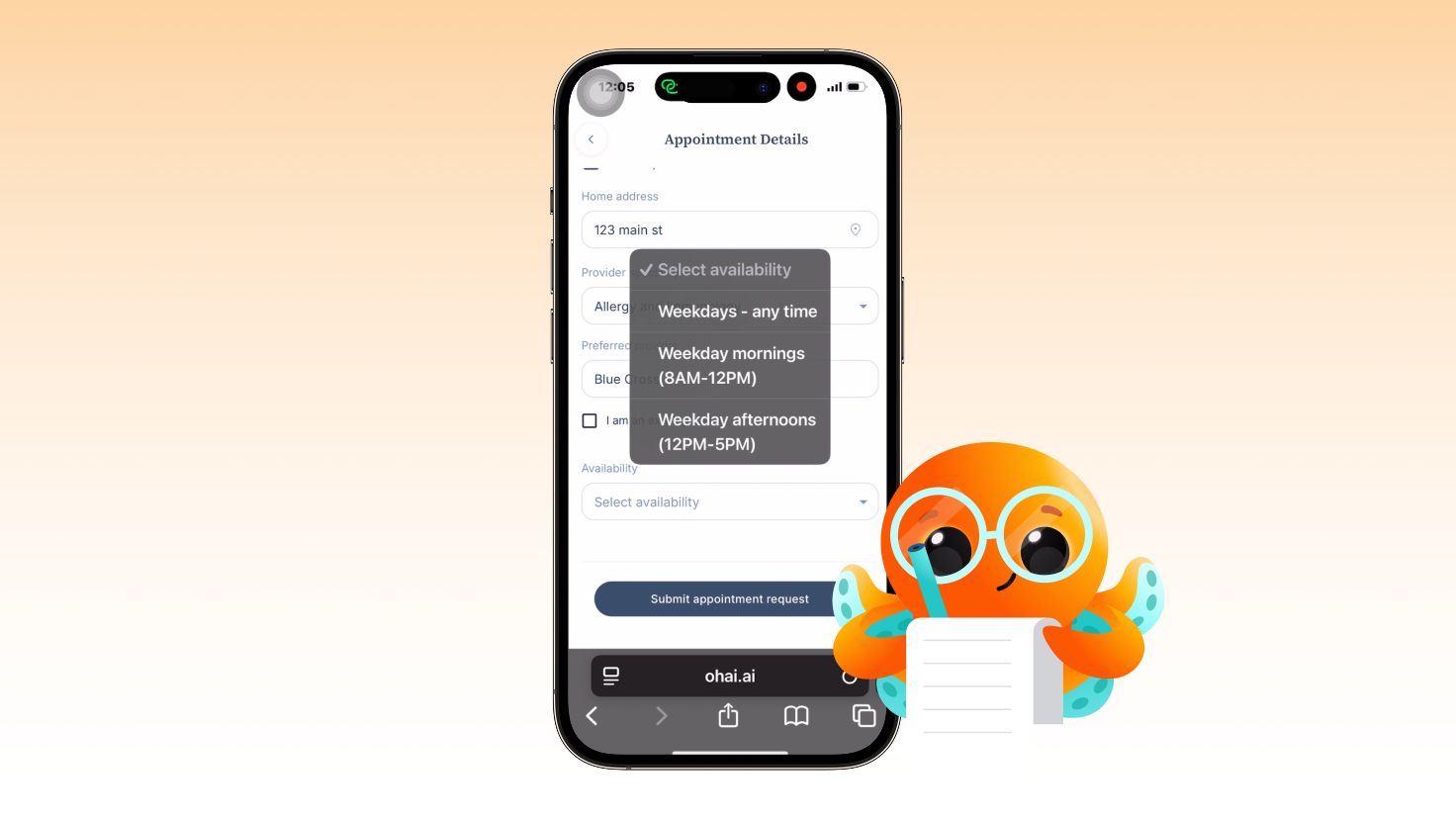
Tell O you need to book a doctor's appointment. O opens a short appointment request form: fill in your first and last name, whether it is for you or someone else in the family, home address, the type of provider (say, pediatrician or dermatologist), a preferred provider if you have one, and a window of availability, like weekdays after 3pm.
2. O sends the request to Ferry Health, you get a confirmation
Once you submit, Ohai shows a "Request Sent" confirmation right away, and the details are passed to Ferry Health.
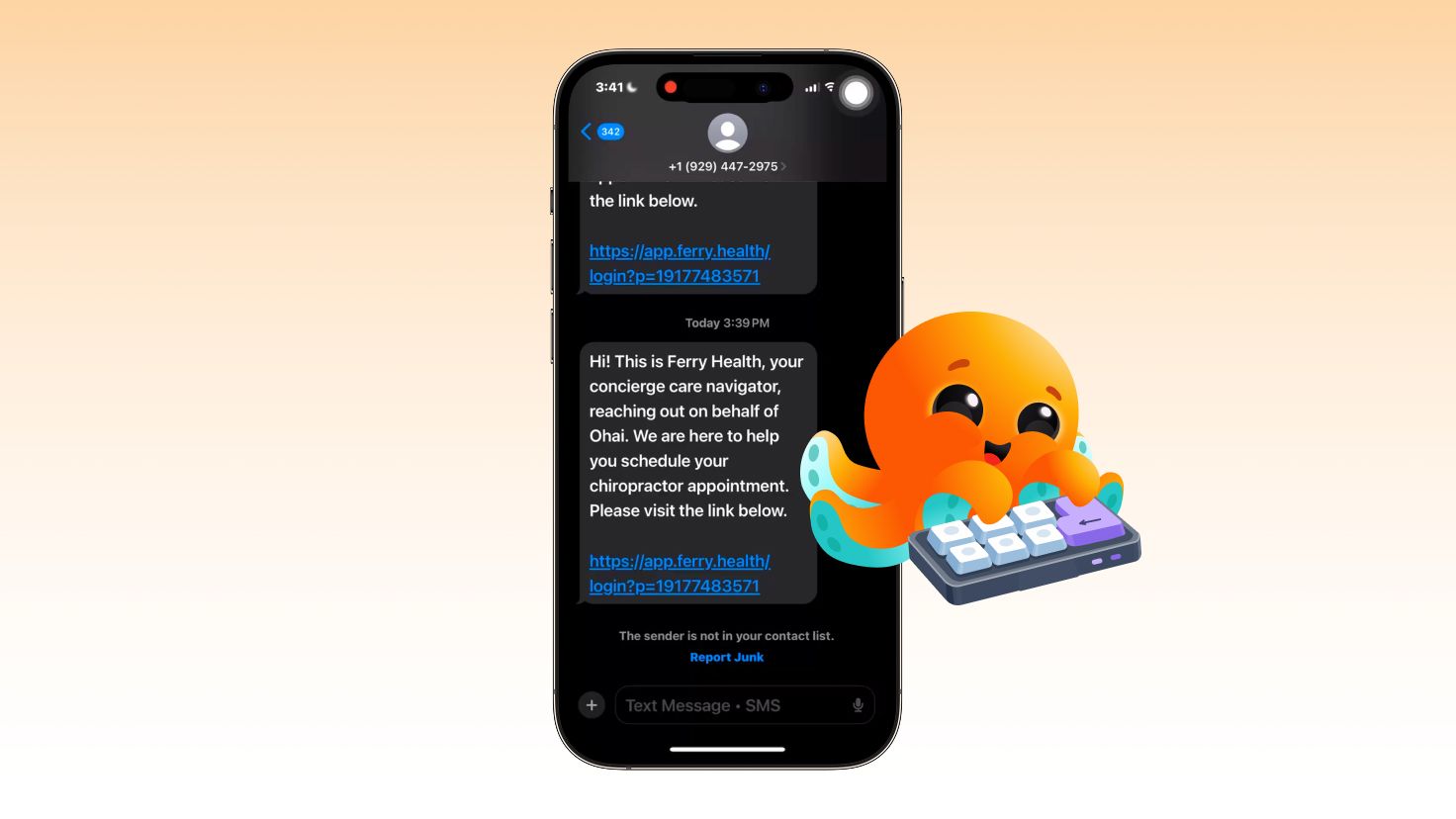
3. Ferry Health texts you a link
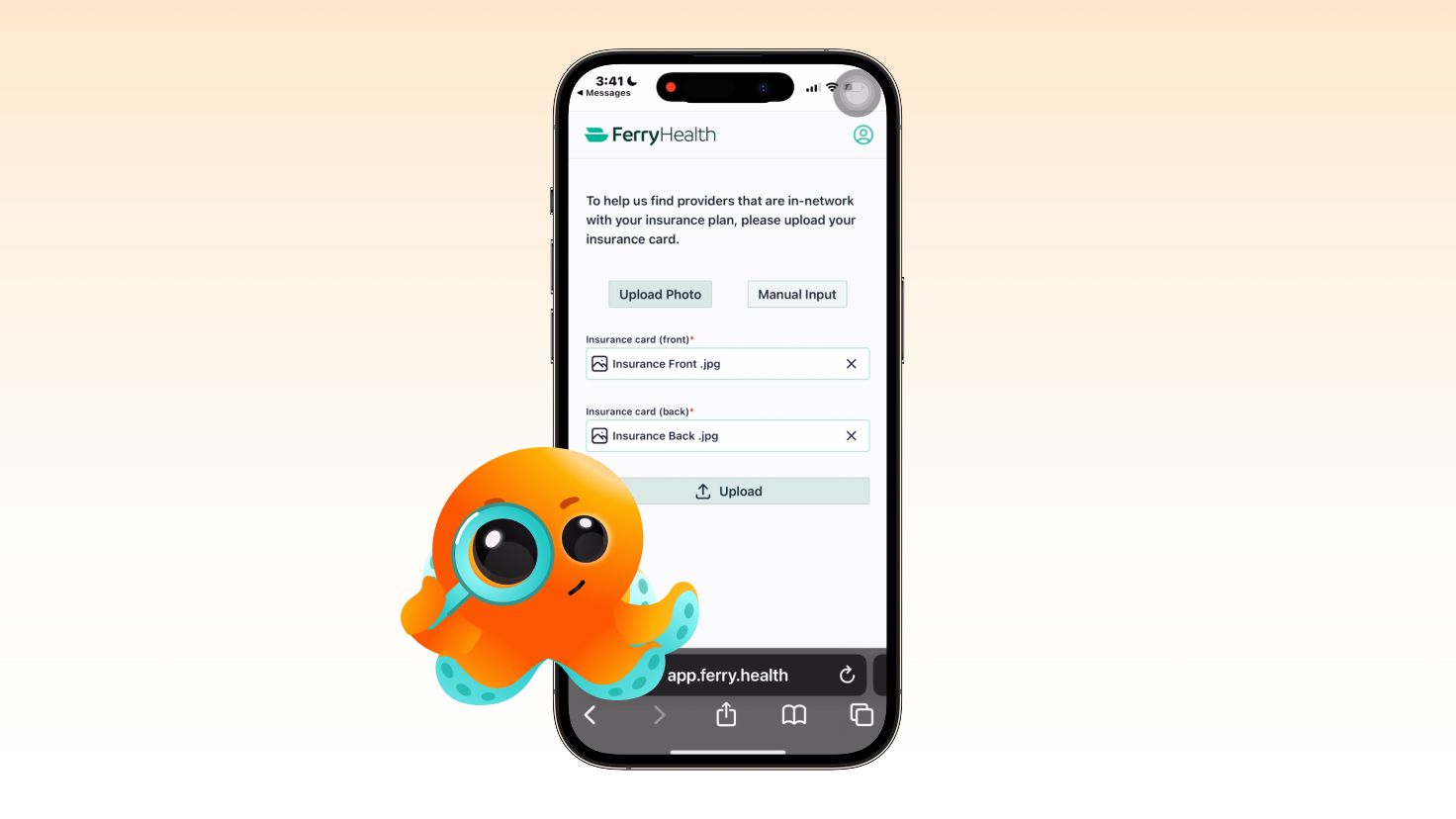
You will get a text with a link to the Ferry Health app. If this is your first time using the feature, there is a short one-time setup: a code to verify your number, then basic account details (name, email, sex, date of birth, phone), then a photo of the front and back of your insurance card. Your information stays secure and HIPAA compliant with Ferry Health, and it is not shared with anyone else, not even with Ohai.
4. Ferry Health does the calling
This is the part that used to be your job. Ferry Health's team calls providers in your area, checks real availability, and sends back a set of options, each with the provider's name, distance, location, and open time slots.
5. You pick a time, they lock it in
You choose the slot that works, and Ferry Health books and confirms the appointment on your behalf.
6. It shows up on your calendar
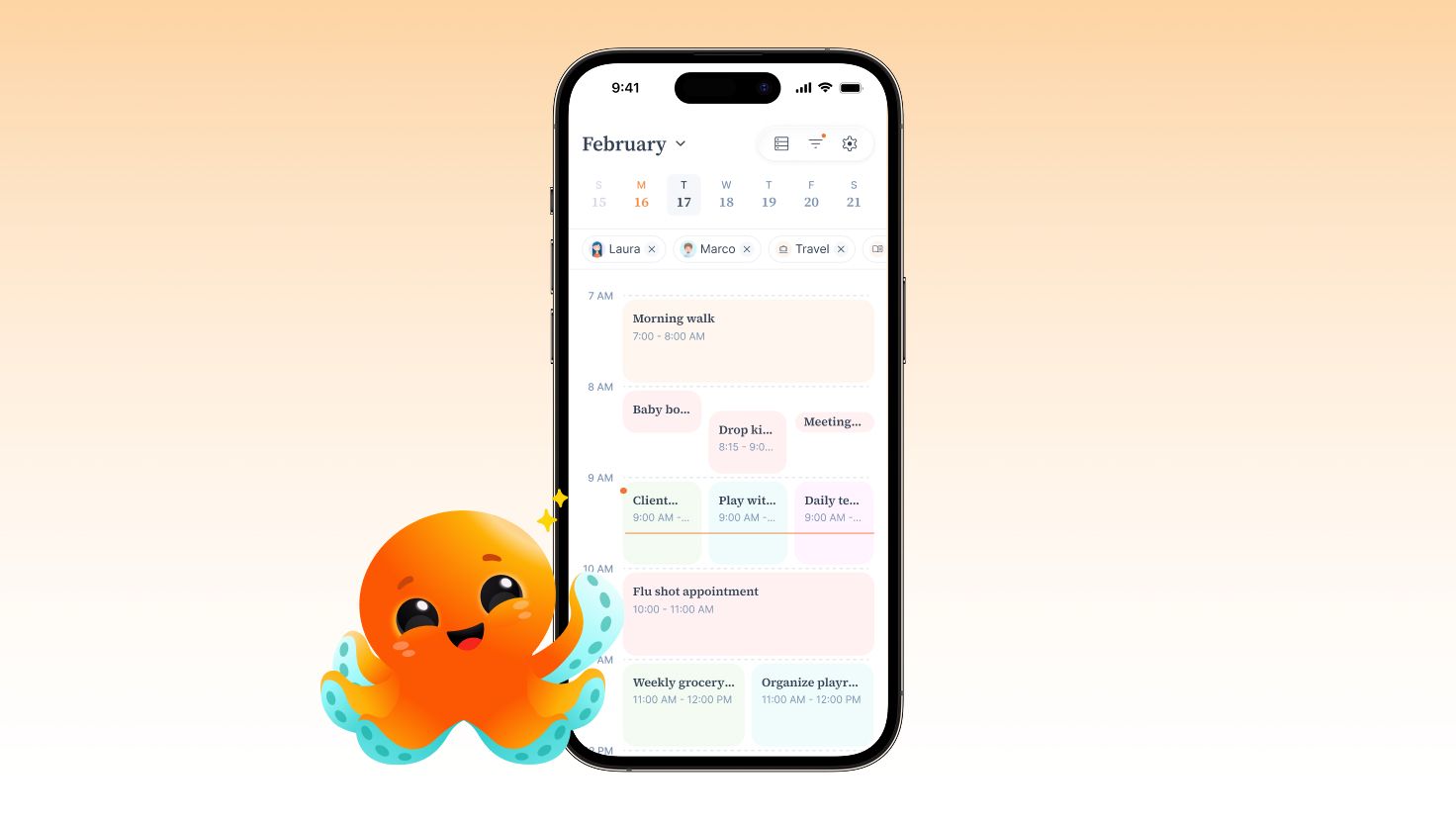
Once confirmed, the appointment is added to your calendar automatically. No copying a time into your phone from a text message.
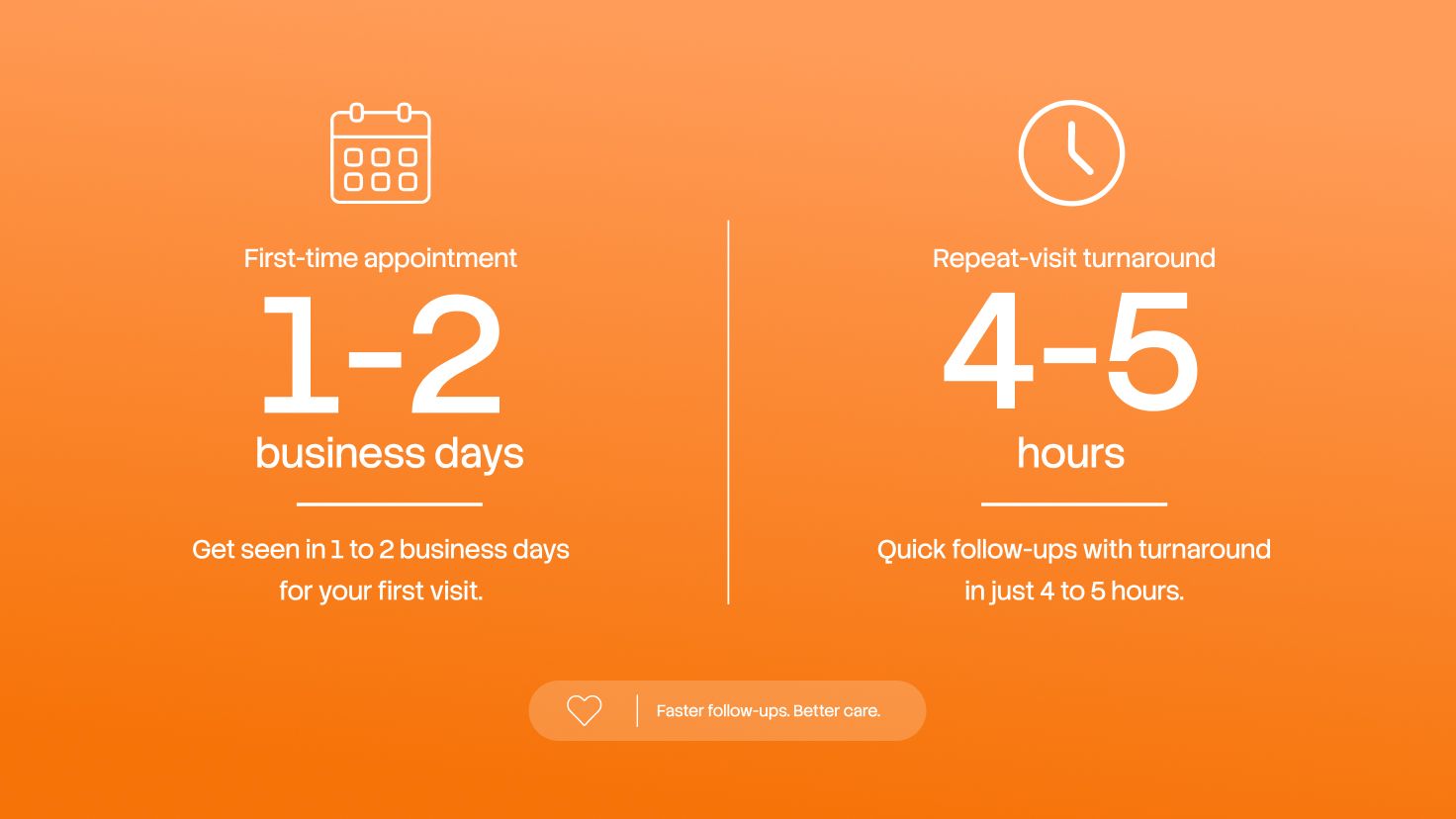
First-time requests typically take one to two business days, since there is an account and insurance to set up. Once a patient already has a Ferry Health account, on a repeat visit that turnaround usually drops to about four to five hours or less.
Setting up insurance the first time, and why it lives in the Ferry Health app
Insurance is required to use this feature. There is currently no way to book an appointment without it, and there is no way to add insurance information from inside Ohai. That part is handled entirely within the Ferry Health app, which keeps sensitive health information where it needs to be for HIPAA compliance.
The first-time setup asks for a photo of the front and back of your insurance card, along with the basic account details mentioned above. It only happens once. After that, the same patient's future bookings skip account creation and the insurance step entirely.
Rescheduling, canceling, and keeping track of it all
Every appointment you book through Ohai lives in a dashboard that shows its status: requested, pending, or confirmed. You are not left guessing whether anything is actually happening on the other end.
To reschedule, select the upcoming appointment, choose reschedule, pick a new date and time, and send the request. The status updates to "reschedule requested" until Ferry Health confirms the new time. Right now, rescheduling has to go through this form. It is not yet supported through voice, chat, or text.
To cancel, select the appointment, choose cancel, and confirm in the pop-up that appears. The status updates to "cancel request sent," and you get notified once Ferry Health accepts the cancellation.
And once an appointment is confirmed, you can just ask O about it later. Questions like "what's my doctor's name" or "when's my appointment" get a straight answer, no digging through texts required.
What a week with this feature actually looks like
Monday morning, you remember it is almost time for your youngest's flu shot, nothing urgent, just something worth getting on the calendar before the fall rush. You text O: "can you book a flu shot appointment for Max sometime in the next few weeks." O asks a couple of quick follow-ups, home address and preferred timing, then submits the request.
You then get a text from Ferry Health. Because this is your family's first booking, there is a short setup: verify the phone number, add basic details, snap a photo of the insurance card. It takes a few minutes, not a phone call.
Tuesday, Ferry Health's team has already been calling around. You get a set of real options: a few pediatric offices nearby that accept your insurance with open flu shot slots over the next two weeks.
You pick a slot for the following Thursday afternoon. Ferry Health locks it in, and it lands on your shared family calendar without anyone typing it in by hand.
Wednesday evening, your Daily Summary flags that the new appointment overlaps with a work meeting already on your calendar. Ohai asks if you would like to move something. You tell O to shift the meeting instead and block off that afternoon so nothing else gets scheduled over the appointment, and O updates the calendar accordingly.
You also ask O for a reminder on Thursday morning to grab the insurance card on the way out the door. It means one less thing to remember while you are getting everyone out the door.
After the appointment, you tell O, "remind me to book Max's follow-up flu shot next year," and O sets a reminder for down the road. The whole thing, from the first text about a routine flu shot to a reminder for next year's visit, took a handful of texts and zero phone calls on your end, so all you needed to do was show up.
What to have ready before you book
Booking itself only takes a couple of minutes, but having these ready ahead of time keeps the request moving without a pause.
- The patient's first and last name (yourself or the family member the visit is for)
- Home address
- The type of provider you need (pediatrician, dermatologist, dentist, and so on)
- A preferred provider's name, if you have one
- A realistic availability window, like weekday mornings or after 4pm
- Your phone nearby, for the one-time verification code from Ferry Health
- A clear photo of the front and back of your insurance card, for first-time setup only
What this feature does not do yet
This feature is brand new, having just moved out of a private beta, so here is where things stand today. More capabilities are on the way as it grows.
It does not check your calendar before booking
Ohai creates the calendar event for whatever time gets confirmed. If that overlaps with something else on your calendar, the conflict shows up later through your Daily Dump and related notifications, not at the moment of booking.
It does not guarantee a specific doctor
If you have a provider you would like to see, just let O know their name when you book. Ferry Health will check whether an appointment with that specific doctor is possible.
It does not manage appointments booked elsewhere
Ohai and Ferry Health can only manage appointments that were originally booked through Ohai. An appointment you booked by phone before you had this feature is not something Ohai can reschedule or cancel.
How this fits with everything else O already does
Appointment booking does not live off on its own. Once a visit is confirmed, it sits on the same shared family calendar as everything else your household is juggling, so a 4pm dermatologist visit shows up next to soccer pickup and the parent-teacher call without you having to reconcile three different places.
It also plays well with the parts of Ohai you were probably already using. Want a nudge two days before to bring the insurance card, or a reminder to ask the doctor about a refill? Just ask O to remind you about it before the appointment, the same way you would for anything else, and it is one less thing you have to hold onto yourself.
The same goes for your to-dos. If a visit means picking up a prescription or a specific item afterward, just add it to your to-dos the way you always would. Your family's health fits right into the same place as everything else Ohai already helps you manage.
Related reading on the Ohai blog: how to organize your family schedule from email, keeping a shared family calendar without the double-booking, and what a mental load checklist looks like for couples splitting the invisible work.
Frequently Asked Questions About Ohai's Doctor's Appointment Feature
Can Ohai book a doctor's appointment for me automatically?
Yes. Ask O to schedule a visit, fill in a short request (who it is for, provider type, and your availability), and Ferry Health's team calls providers, finds real openings, and confirms a slot you choose. It is one of the clearest examples of Ohai working as an AI scheduling assistant rather than just a place to jot down a to-do.
Do I need insurance to use this feature?
Yes, insurance is required, and there is currently no way to book without it. You add a photo of the front and back of your insurance card directly in the Ferry Health app during first-time setup, not through Ohai, which keeps that sensitive information handled under HIPAA compliance rather than passing through a third app.
How long does it take to get an appointment confirmed?
First-time requests, which include setting up an account and insurance, typically take one to two business days. Once you already have a Ferry Health account, repeat bookings usually confirm in about four to five hours or less.
Can I book an appointment for my child or another family member?
Yes, the booking form asks whether the visit is for you or someone else in your household.
What happens if I need to reschedule?
Select the upcoming appointment in your Ohai dashboard, choose reschedule, and pick a new date and time. The status shows "reschedule requested" until Ferry Health confirms it.
Can I cancel an appointment through Ohai?
Yes. Select the appointment, choose cancel, and confirm in the pop-up. The status updates to "cancel requested," and you will get a notification once Ferry Health accepts the cancellation.
Will Ohai check my calendar for conflicts before booking?
Not at the moment of booking. Ohai creates a calendar event for whatever time gets confirmed, and if that overlaps with something else, it surfaces afterward through your Daily Dump and related notifications rather than at the time of booking.
Can I request a specific doctor?
Yes, add the provider's name in the request form when you book. Ferry Health will check whether an appointment with that specific doctor is possible and let you know either way. It is not guaranteed on every visit, but you will always get the opportunity to ask.
Does Ohai add the appointment to my calendar automatically?
Yes, once Ferry Health confirms the booking, it is added to your calendar without you having to type anything in. Users have the ability to set reminders and to-dos with O to make sure they are all prepared and ready for the appointment.
Is this feature available to everyone?
It has been running in a private beta with a pilot group of families and is expanding to more Premium households from here.
What if I already have an appointment booked somewhere else, not through Ohai?
Ohai and Ferry Health can only manage appointments that were originally booked through Ohai, so an existing appointment booked by phone or another app is not something this feature can reschedule or cancel for you.
Can I book an appointment by talking instead of typing?
Yes, you can start the booking request by voice but you will need to complete the form on the mobile app or the web app. Rescheduling is also not yet supported by voice, chat, or text, so changes to an existing booking go through the form.
Take doctor's appointments off your plate
You already carry enough of the household's mental load without also being the family's part-time scheduling coordinator. Ohai's new AI scheduling assistant, built with Ferry Health, is here to take the calling, the holding, and the remembering off your hands, one appointment at a time.
Ready to try it? Ask O to book your family's next doctor's appointment, or explore everything your household manager can do.