Behind the New Ohai: A Q&A with Designer Tamara

Table of Contents
A few weeks ago, we introduced the new Ohai, an AI household manager rebuilt around what families actually told us they needed. The redesign came out of hundreds of conversations with users who, in different words, kept telling us the same thing: "I love the idea of Ohai... I just don't always know how to use it."
So we made it our job to fix that. Not by making the app prettier, but by making it lighter, simpler, and easier to invite the rest of your family into.
A lot of that work happened on Tamara Laforest's screen. She's the designer who turned user feedback into a homepage you actually want to open, a navigation that gets out of your way, and an octopus you might be a little bit attached to by now.
We sat down with her to talk about how the redesign came together, what families taught us along the way, and what she wants to build next.
On the redesign philosophy
What was the biggest problem you were trying to solve when you sat down to redesign Ohai?
The old homepage was overwhelming. It threw a lot of scattered features at families without any guidance on how to use them, and the most important information wasn't surfaced clearly. New users especially had no sense of where to start.
So we set two goals for the redesign: make the app feel immediately valuable the moment you open it, and organically guide people toward the features that matter most. We also wanted the homepage to grow with the family over time, so the longer you use Ohai, the more it feels like it's actually working for you.
A big part of that was being disciplined about what we put on the page in the first place. We kept only what's relevant day to day, so nothing feels like noise.
Designing for one person is one thing. How do you design for a whole household?
Designing for an individual means solving for one person's habits and preferences. Designing for a household means designing for a dynamic, and that's a lot more complex.
The reality is that in most families, there's one person who carries the mental load. They're tracking appointments, remembering what needs to get done, coordinating everyone else. We had to design with that person in mind first, because if Ohai doesn't work for them, it doesn't work for anyone.
But we also had to think about how they pull others in. How do you make it easy for a partner to contribute without being fully onboarded? How do you make a teenager actually engage? You can't design one rigid experience and expect every family member to show up the same way. The real challenge was building something that works for the person running the household while still feeling accessible to everyone around them.
How do you design for someone who's already overwhelmed?
The guiding principle was that Ohai should never feel like another thing to manage. If using it starts to feel like work, we've already lost.
In practice, that meant a few things. Nothing is mandatory. We don't force families to fill out fields or follow a rigid structure just to use a feature. You can go as simple or as detailed as you want.
We also try to guide rather than instruct. We surface suggestions, nudge good habits, and show families what's possible without making them feel like they're doing it wrong. And we lean on positive reinforcement to keep momentum going, because motivation is fragile when life is already full.
So reducing cognitive load isn't really about having fewer features?
Right. It's about making sure every interaction feels effortless, so the app earns its place in a family's day.
On the new homepage
Walk us through the new homepage. What do you see when you first open Ohai, and why?
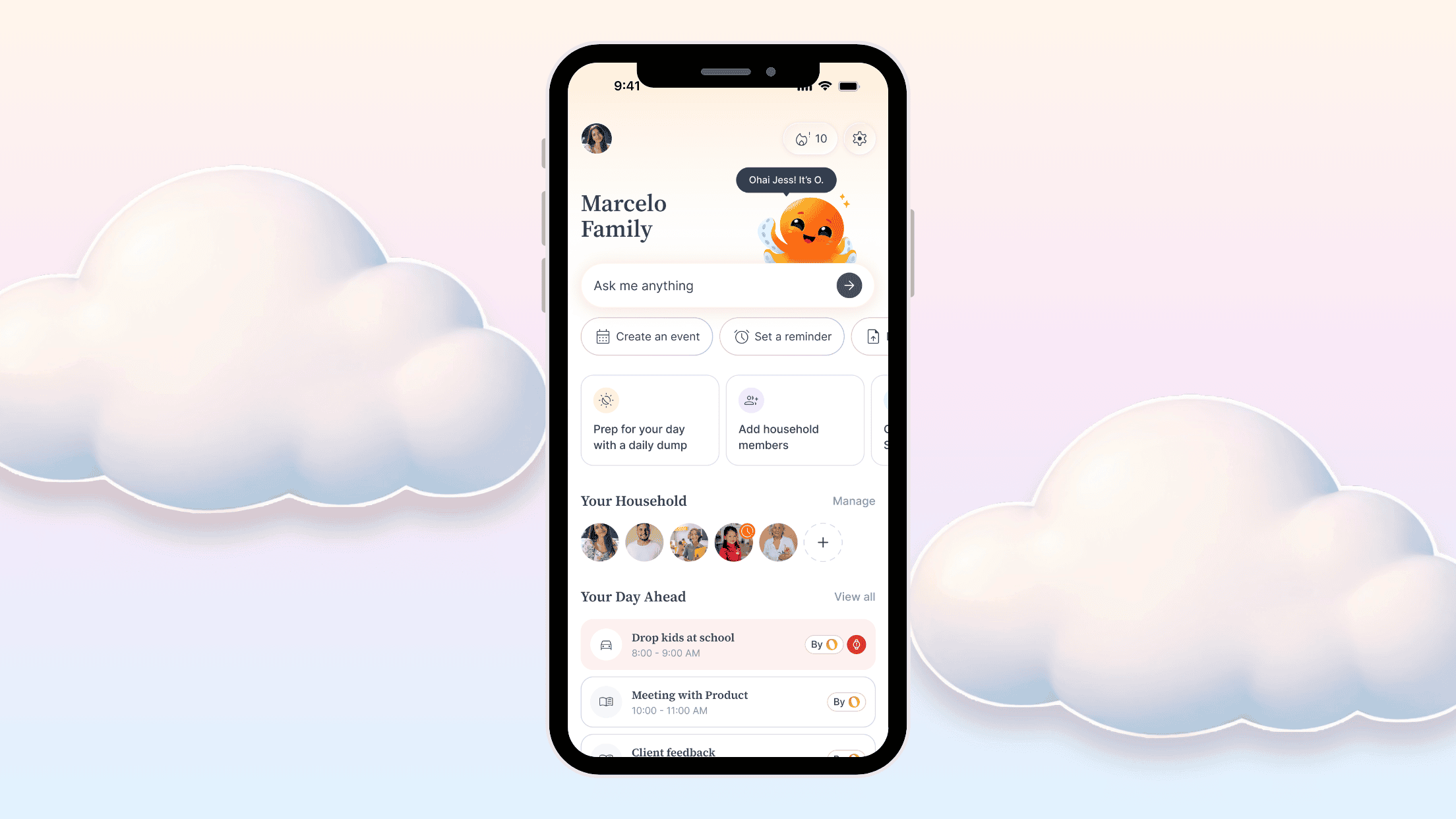
The first thing you see is the chat. That was deliberate. It sets the tone immediately that this is an AI home assistant, and it gets you to the most powerful part of the product without any friction. We also surface the prompts people use most, so you're never staring at a blank screen wondering what to do.
What's below the chat?
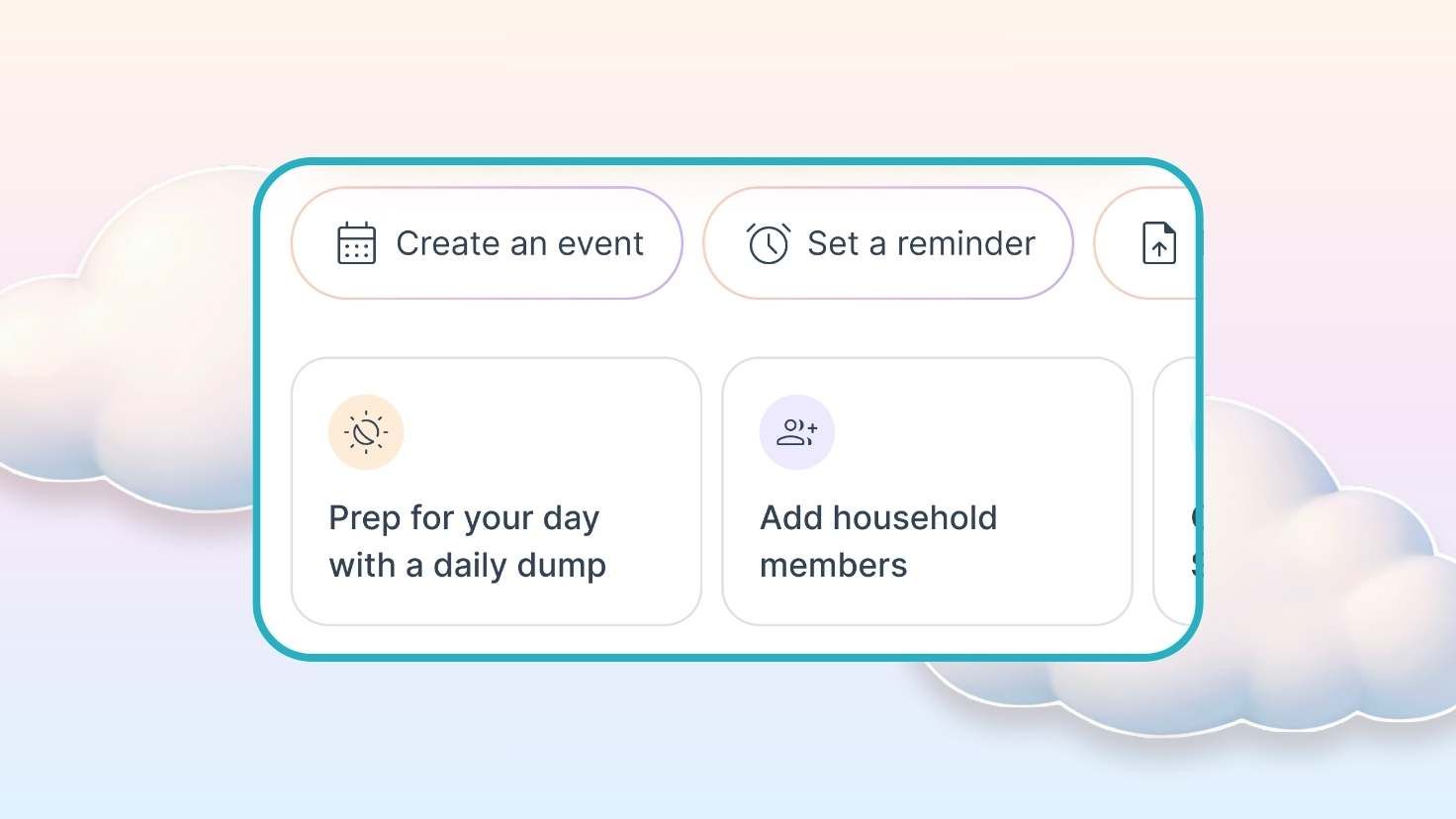
Action cards. These are contextual, so they might nudge you to finish setting something up, remind you about the daily dump, or point you toward something that needs attention that day. It's the app doing a little bit of the thinking for you.
And further down?
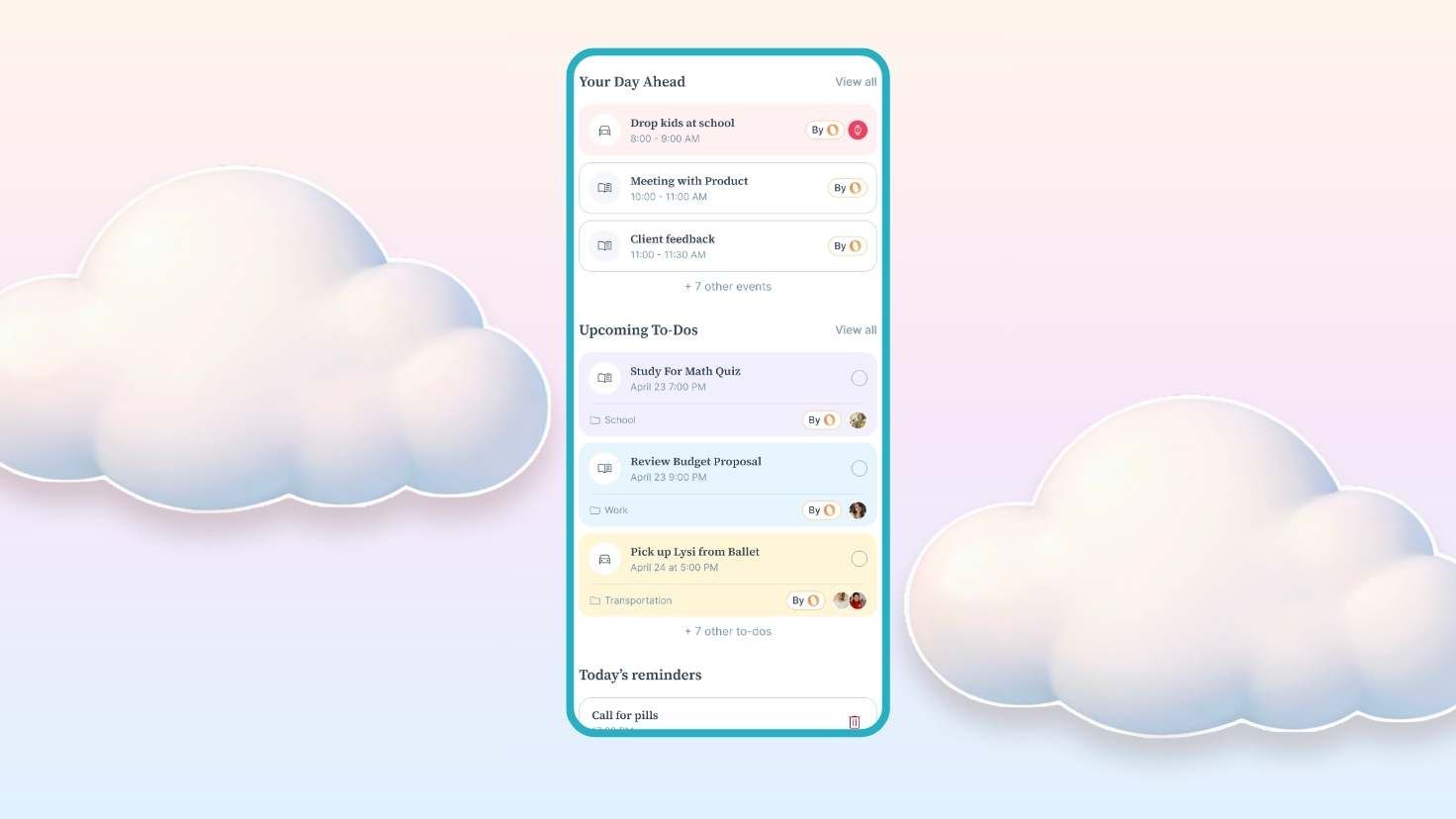
Sections for each of the main features. This part was really important to us. Instead of making people dig through navigation to discover what Ohai can do, we bring the most relevant information to them right on the homepage. You can see your calendar, your to-dos, your reminders, all without going anywhere. It naturally guides people into the features without ever feeling like a tutorial.
The whole page was designed to give you a reason to open the app every single day.
On designing To-Dos for the whole family
Task management at work and task management at home aren't the same thing. How does that change how you design?
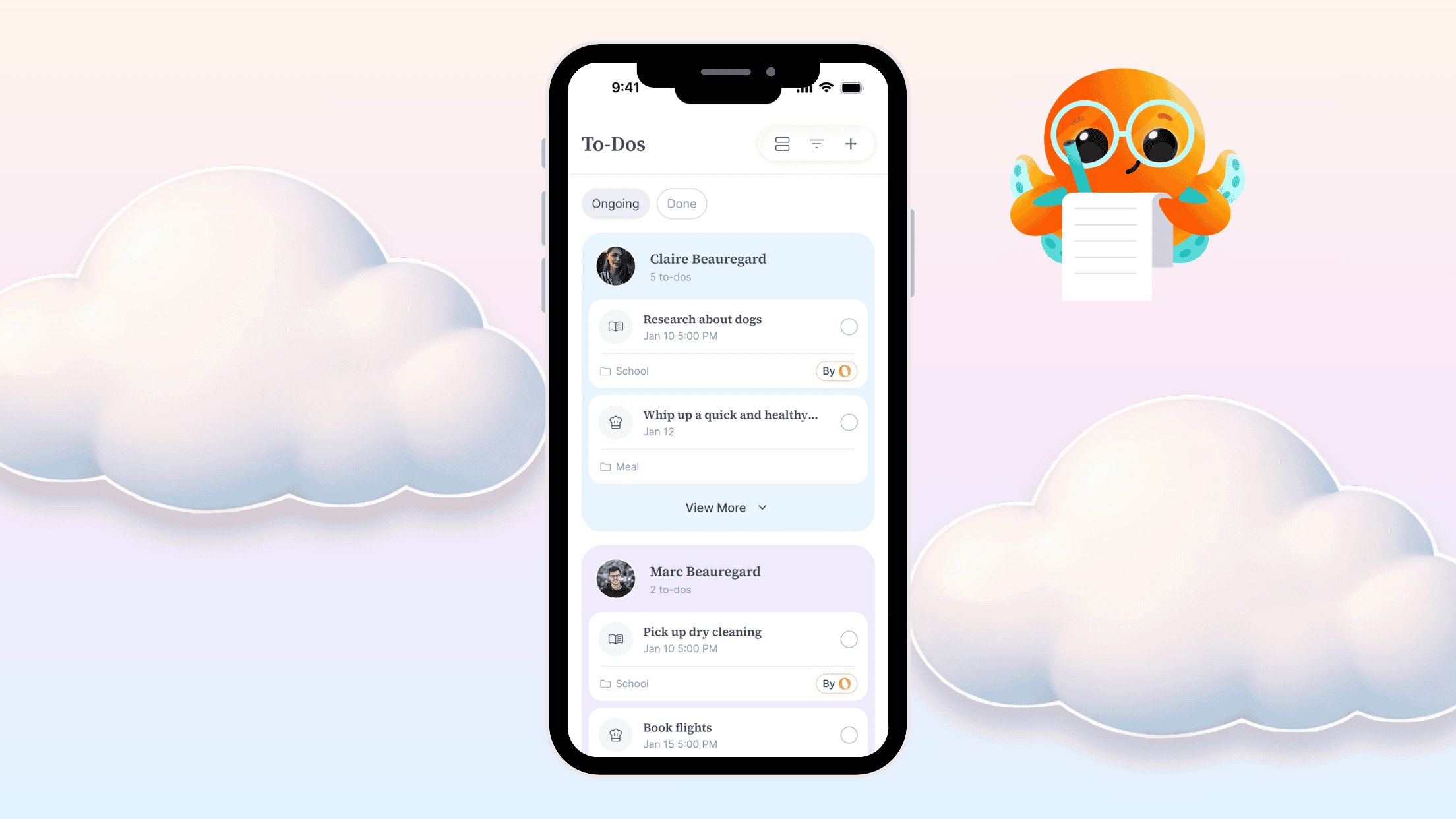
The core difference is context. At work, you have dedicated time to sit down, set up a project, assign tasks, and learn a new tool. Families don't have that luxury. A parent is rushing between school drop-off, work, and dinner, and they need to capture something quickly before they forget it.
That shaped everything about how we designed To-Dos. We kept asking: would a busy parent actually use this? Complex sub-features, steep learning curves, elaborate setup flows... those work in enterprise tools because people are paid to learn them. For families, that friction just means the feature gets abandoned.
So we focused on making it as fast and frictionless as possible to add a task, while still leaving enough flexibility for families who want a bit more structure. The goal was something you could pick up in seconds but grow into over time.
On what she's most proud of
Of everything in the redesign, what are you most proud of?
It's hard to pick one thing. The redesign was built as a system, so everything feeds into everything else. But what I keep coming back to is the decision we made early on to stop designing like a productivity app.
That choice touched everything: the octopus, the way features behave, even how we write copy inside the app. We really didn't want Ohai to feel like a corporate tool repackaged for families. We wanted it to feel human.
The branding was a big part of that. O the octopus makes the whole experience feel friendlier and more approachable, and I think that carries into how people use the app overall. That's probably what I'm most proud of: that we held onto that feeling all the way through.

On what's next
What are you most excited to design next?
Honestly, right now I'm most excited about listening. We've shipped what feels like a solid foundation, but it's still a small slice of what Ohai can become.
The most valuable thing we can do at this stage is get the app into people's hands and really hear how it fits into their lives. What clicks, what doesn't, where they wish it did more. That feedback is what shapes the next features worth building. I'd rather design something families actually asked for than something we assumed they needed.
Help shape what comes next
The new Ohai exists because thousands of families told us what wasn't working. The next version will too.
If you want a closer seat at the table, we're building a community of users who help shape Ohai from behind the scenes, sharing feedback, testing new ideas, and telling us what's working before it ships to everyone. Sign up here and the best notes will land on Tamara's screen.