The new Ohai To-Dos: one place for all your household tasks
Table of Contents
If your household runs on a mix of sticky notes, screenshots, texts to your partner that say "don't forget," and one very tired brain, you're not alone. Managing household tasks in 2026 means juggling more than any single person can reasonably hold in their head. School forms, pediatrician appointments, the car service, the field trip slip, that birthday gift you keep meaning to order.
We built To-Dos to be the one place that catches all of it. Not another productivity app to learn, but a shared list your whole household can actually use, with O helping behind the scenes.
Here's how it works.
Household to-dos vs reminders: what's the difference?
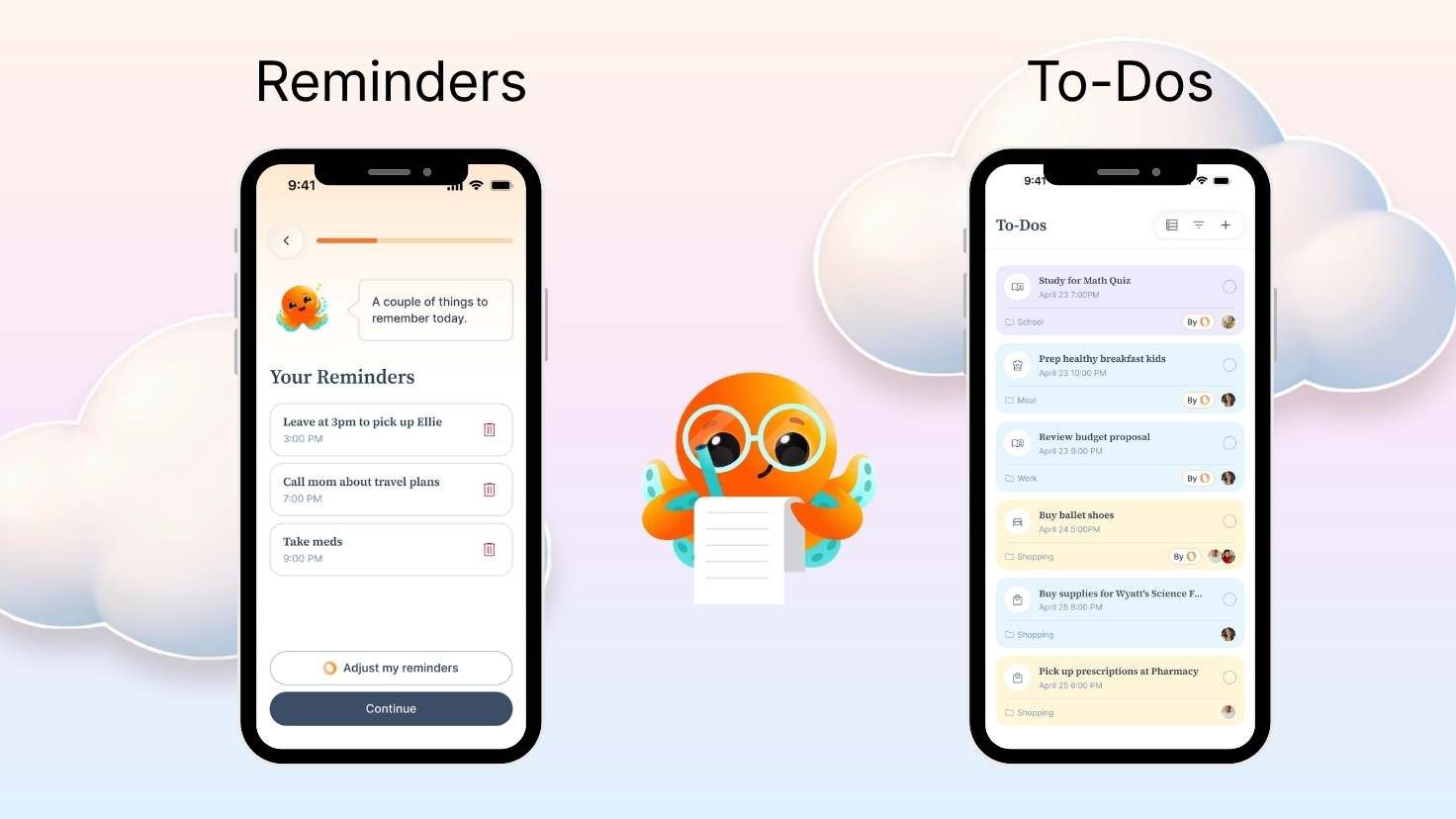
To-Dos in Ohai is for the running list of household tasks your family has to handle. It's not used for shopping lists, and it's not a reminder for a single thing at a specific time.
A good rule of thumb:
- If you'd say "I need to do this at some point this week," it's a to-do
- If you'd say "remind me at 4pm to do something exactly at that time," it's a reminder
Example prompts for reminders
Something to do at a specific time:
- "Remind me to pick up Ellie from school at 4pm"
- "Remind me to take the chicken out of the freezer at 6pm"
- "Remind me to call mom at 7pm"
- "Remind me to take medicine at 9pm"
Example prompts for to-dos
Something to get done before a certain time:
- "I need to call the pediatrician to book a checkup"
- "I need to research summer camps"
- "I need to pick up laundry"
- "I need to pay the electricity bill"
- "I need to return the Amazon package"
- "I need to reply to the school's welcome email"
- "I need to plan meals for next week"
Using "Remind me" for a reminder and "I need to" for a to-do are clear prompts you can use so it's clear to O which one you'd like to create. You don't have to think about which bucket something goes in. Just tell O.
All your household tasks at a glance
Open the To-Dos tab and you'll see everything active at the top, sorted by what's most urgent. Overdue items show up in red so nothing slips. Anything without a deadline drops to the bottom.
Completed to-dos live in a Done section, so you can actually see what your household got through this week.
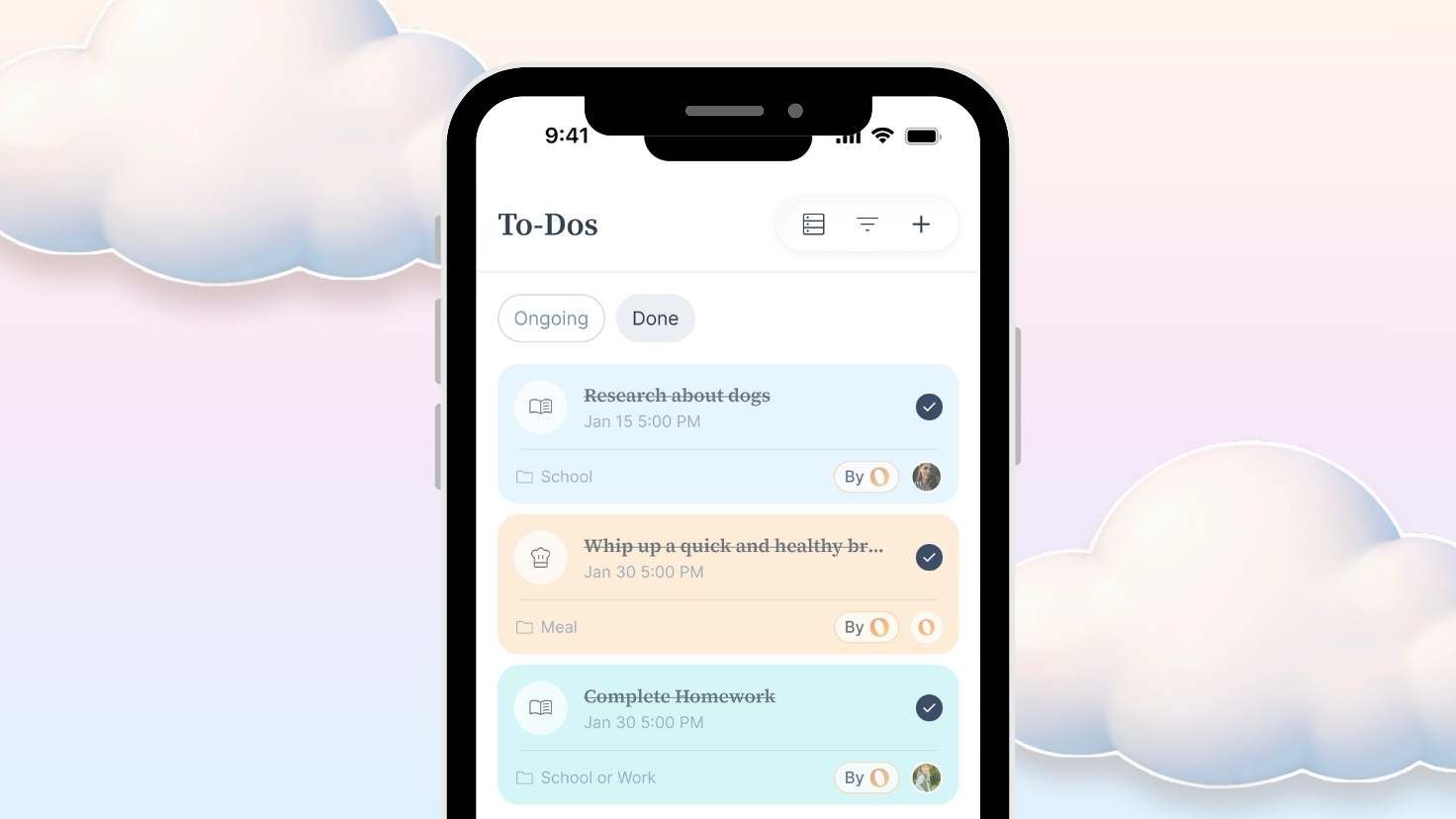
Each to-do has a little category icon (school, meals, health, social, and so on) so you can tell at a glance what kind of task you're looking at.
Switch to Member View to see who's doing what
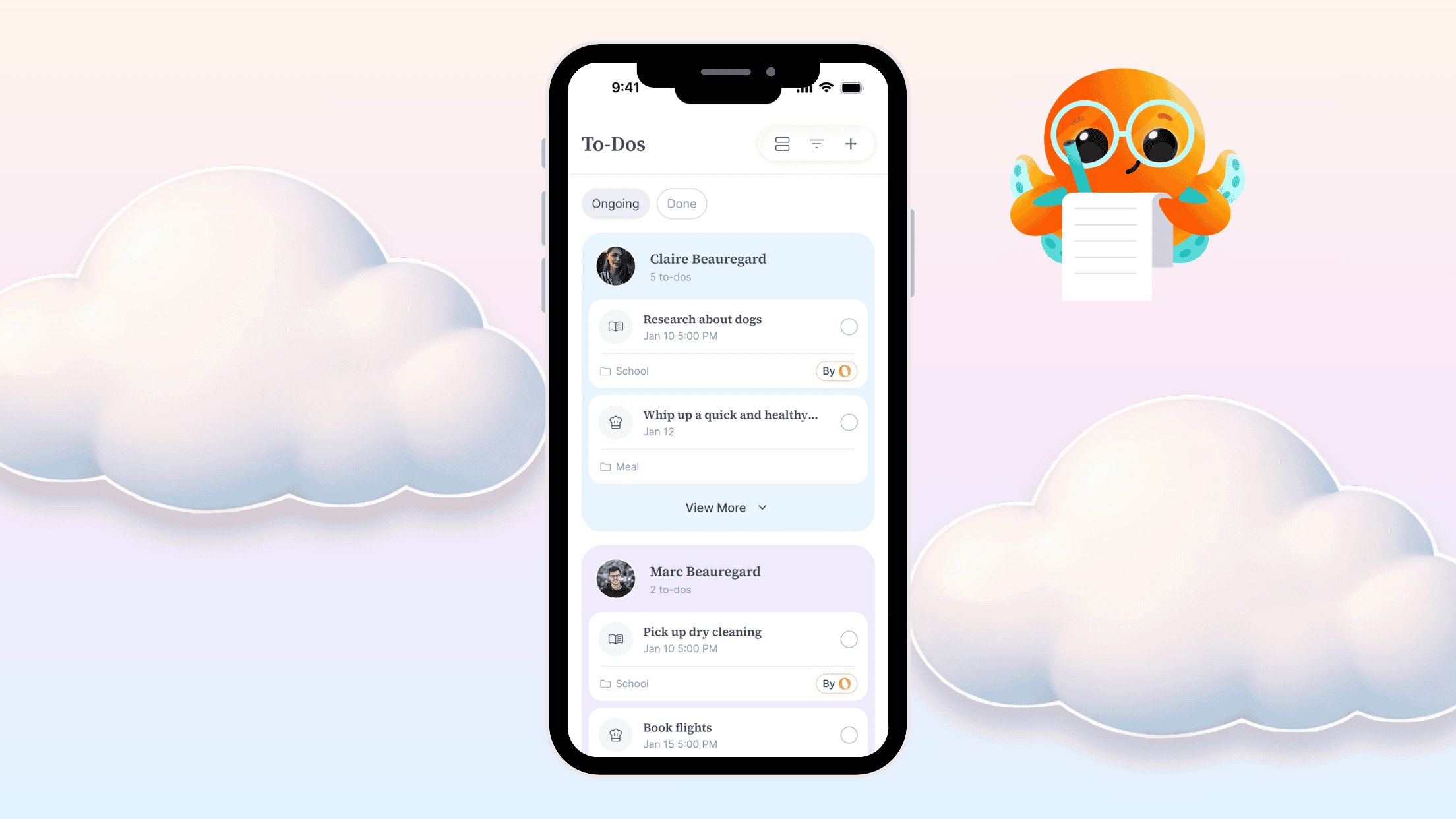
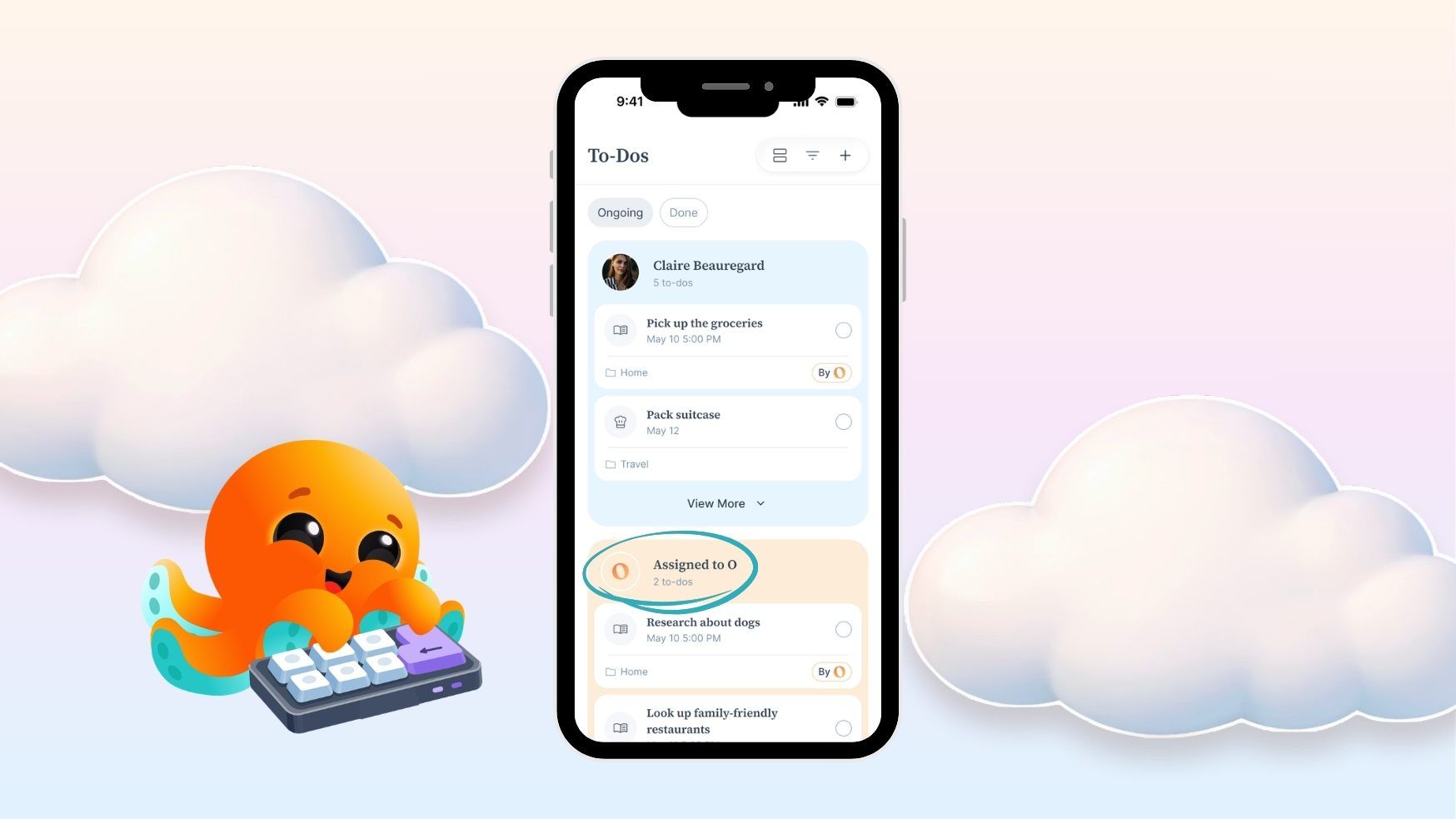
Tap the view toggle and you'll see Member View. Instead of one long list, every person in your household gets their own section, plus a section for O and a section for anything unassigned.
Each person sees their own to-dos in their own color, so it's really easy to spot what's yours.
How to add household tasks as To-Dos in Ohai
You can create a to-do from the plus button on mobile, from the desktop app, or just by texting O.
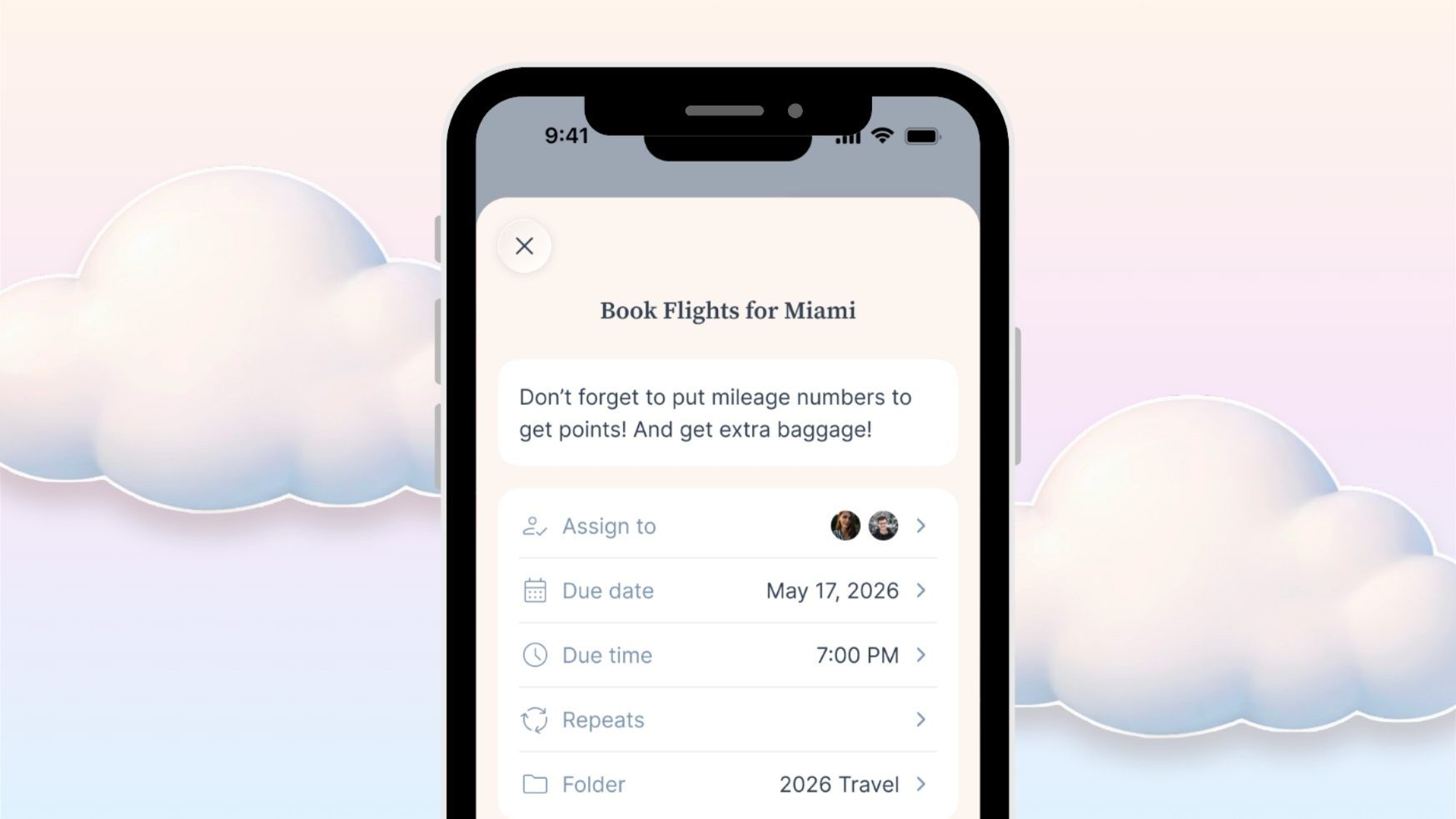
All you actually need is a title. Everything else is optional, but here's what you can add:
- A description for extra context
- One or more assignees (yourself, your partner, your whole household)
- A due date and optional due time
- A repeat rule if it happens regularly
- A folder to group it with related to-dos
Recurring to-dos that don't clutter your list
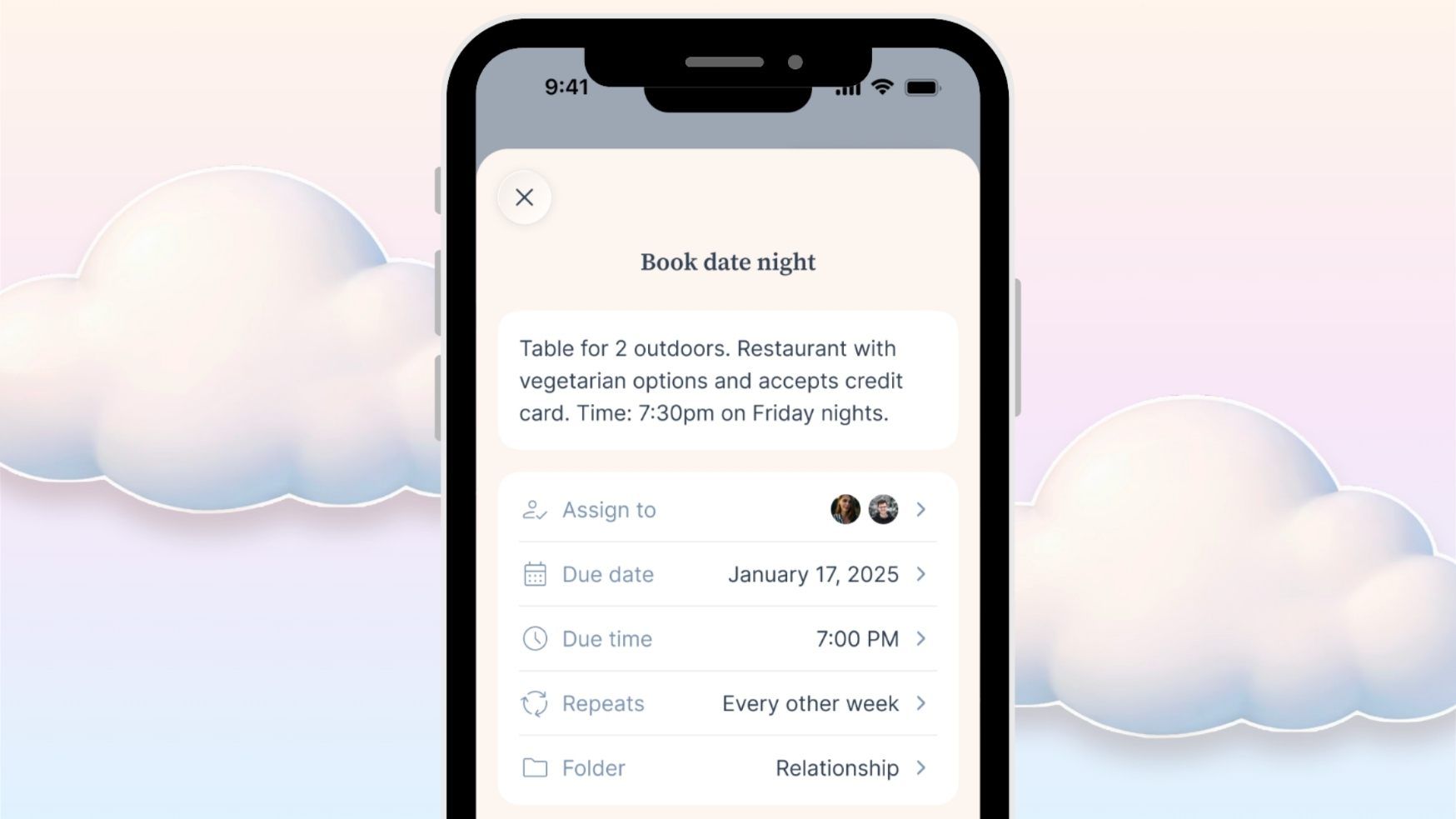
Setting up something like "pay the mortgage" or "water the plants Sunday morning"? Add a repeat rule and Ohai handles the rest.
You only ever see the next one coming up, so your list stays clean instead of filling with every future instance.
Brain dump by voice when your hands are full
Honestly, most of the time we're not sitting down tapping things into an app. We're walking the dog, in the school pickup line, unloading groceries with one hand.
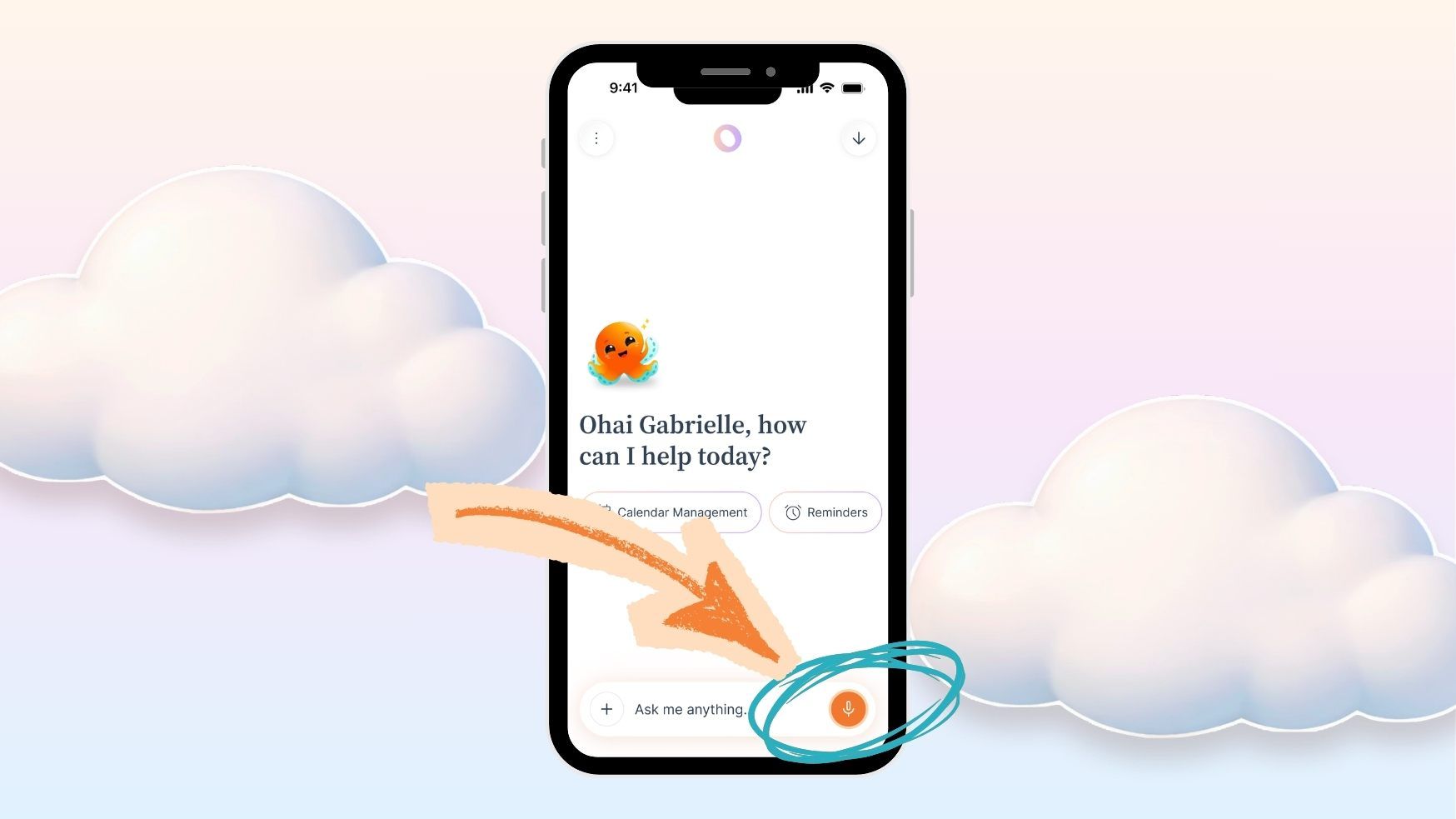
That's where voice comes in. Open the chat, tap the mic, and talk the way you actually think:
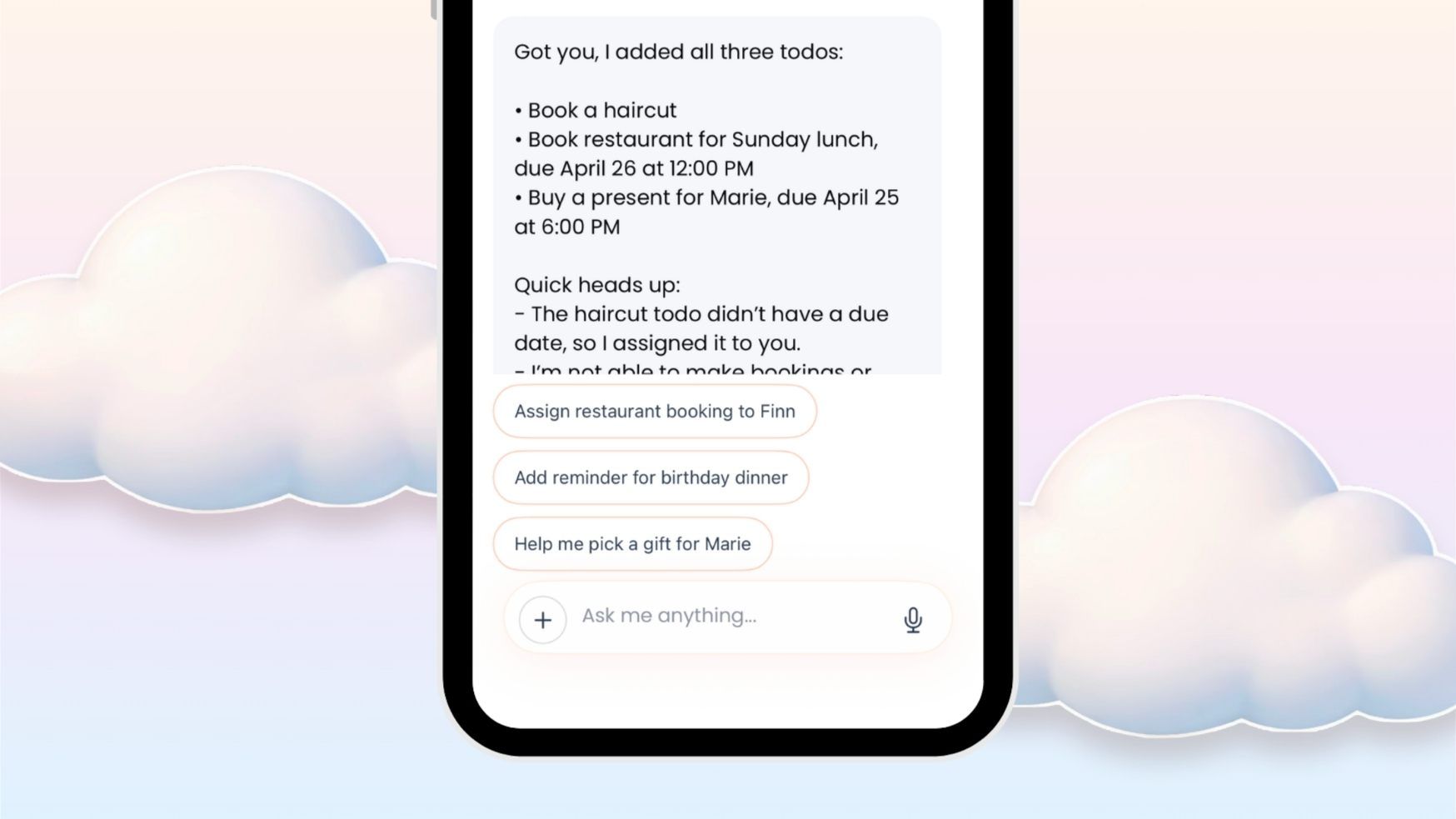
"Hey O, add these to-dos: book a haircut, book the restaurant for Sunday lunch, and buy a birthday present for Marie before her Saturday evening birthday dinner."
Three to-dos, on the list, in the time it took you to walk to the car. Ohai sorts them out for you.
Organize your household tasks with the To-Dos' folders and filters
Folders for the big buckets that come up every year
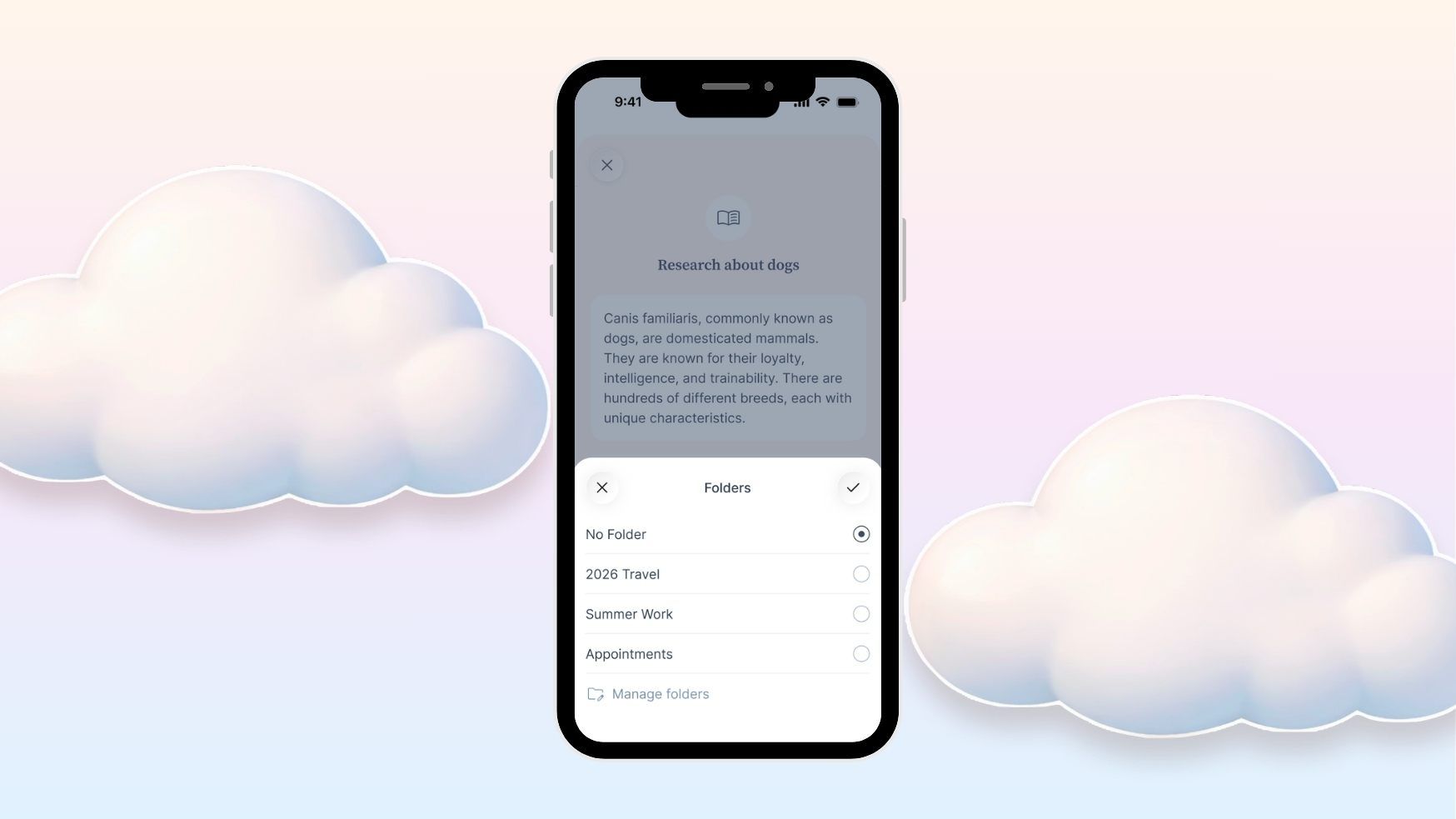
If you want to keep related to-dos together, drop them into a folder. Tap the Folder field on any to-do, pick one you've already made, or tap Manage Folders to create a new one.
Folders work best for the big buckets that come up over and over. Things like:
- Back to school
- Summer camp prep
- Summer trip
- House renovations
- Holiday planning
That way when the school year starts, you can jump straight into your Back to school folder and see everything tied to it. The stuff that recurs every year is already there. You don't have to rebuild your mental checklist from scratch.
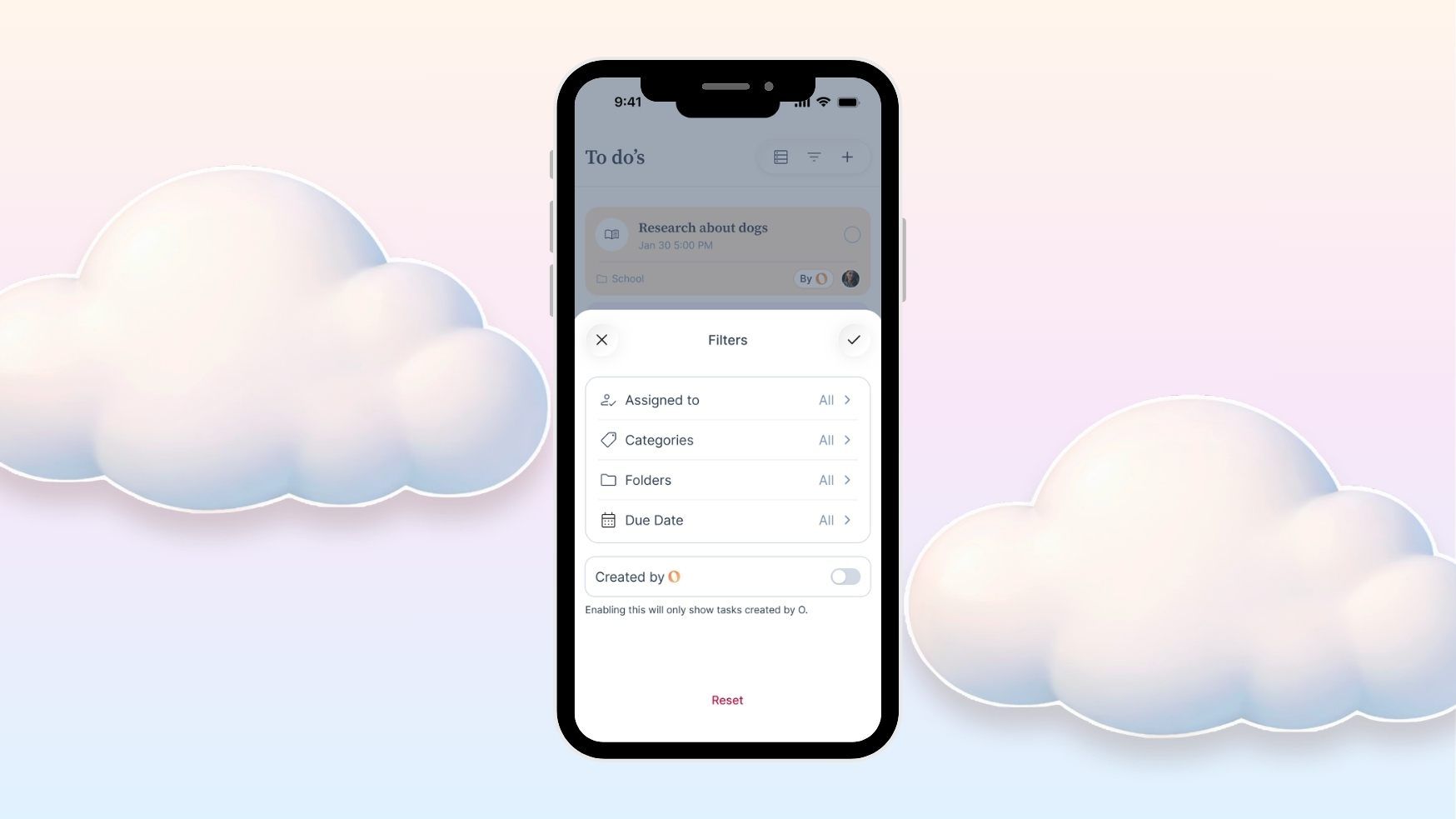
Filters for when your list gets long
If your list grows, filters live in the top right. You can filter by:
- Who it's assigned to
- Category
- Folder
- When it's due
- Whether it was created by O
So if your Monday morning question is "what does this week actually look like for us," tap "This week," hit confirm, and that's your answer.
Hand tasks off to O entirely
Some things you want to do yourself. Some things your partner should own. And some things you can just hand off to O.
Here's a real one I use. I want to get ahead of weekend plans, but I don't always remember to plan ahead during the busy week. So I asked O to research events near me every Wednesday so it can take that off my plate now every week.
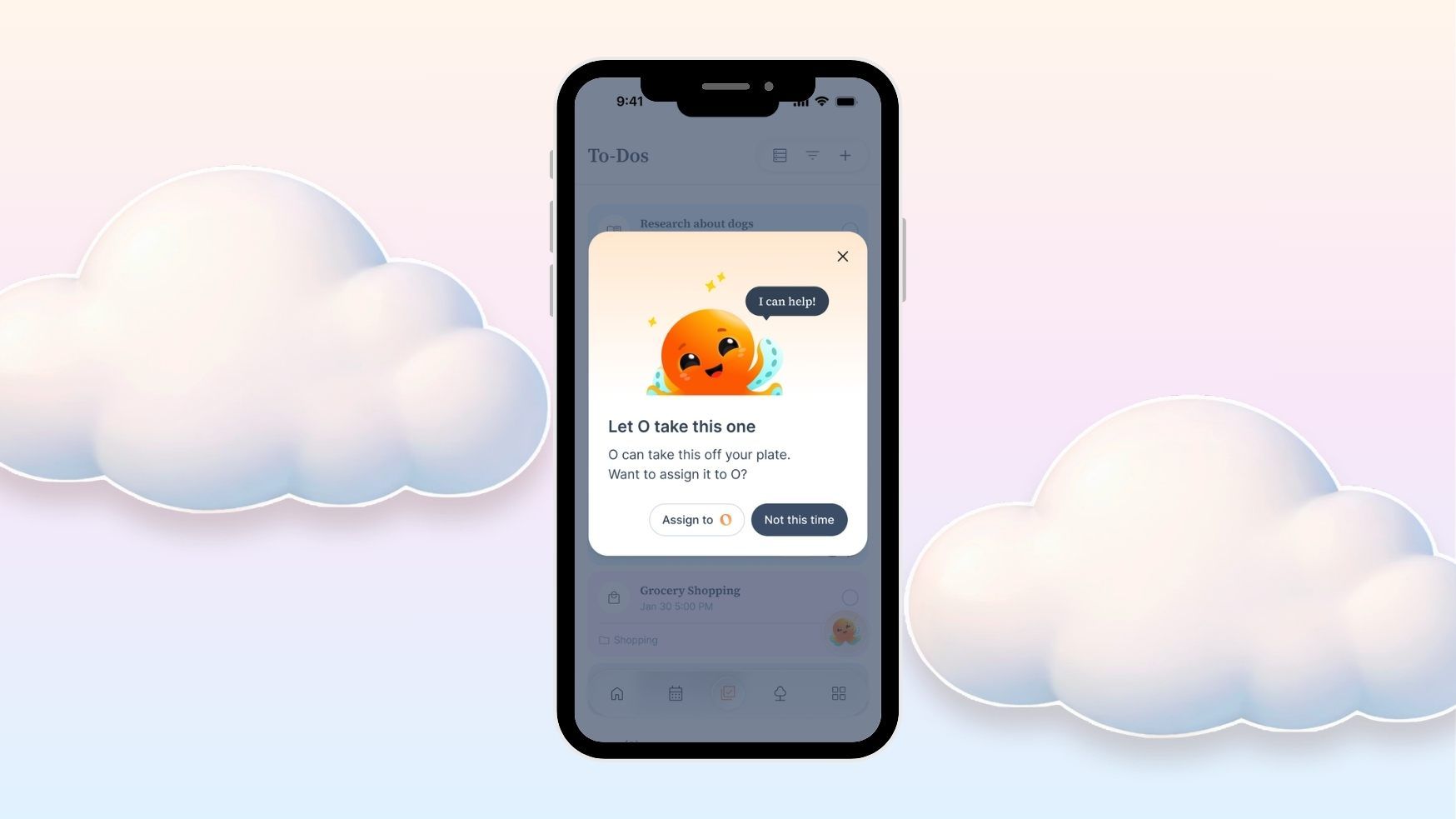
When you create a to-do like that, Ohai checks if it's something O can take on. Just make sure it has a due date so O knows when to deliver.
If you confirm, the to-do moves over and gets assigned to O. Now every Wednesday, O does the work and messages me when it's done.
More things you can ask O to take on
A few ideas to spark what's possible:
- "Every day at 8am, check the weather, and if it's going to rain, remind me to grab an umbrella."
- "Every Wednesday, find local events happening this weekend in our neighborhood and send me the top three."
- "Every Sunday at 6pm, suggest a weekly meal plan for 4 for the week ahead. Healthy and easy meals for the week, no peanuts."
The mental load of remembering to check, decide, and act, that part can move to O.
Smart suggestions that catch what you'd forget
One more small thing that tends to surprise people. When you create a to-do through chat, O often notices there's a related step you'd probably want too.
Type "plan date night for next weekend," and Ohai adds the to-do, then offers tappable follow-up suggestions. One tap and they're on the list. No tap and they're gone.
It's a tiny thing, but it helps make sure everything is covered. One task usually leads to three.
See your household tasks in your Daily Dump
Here's the thing most people don't realize at first. You don't actually have to open the To-Dos tab every morning to know what's on your plate.
If you're getting your Daily Dump in the morning or evening, your upcoming to-dos for the day are right there in one glance, right after your schedule.
You're still on top of what needs to happen, but you're only seeing the important to-dos coming up, not the whole list. Less overwhelming. You can get on with your morning quickly.
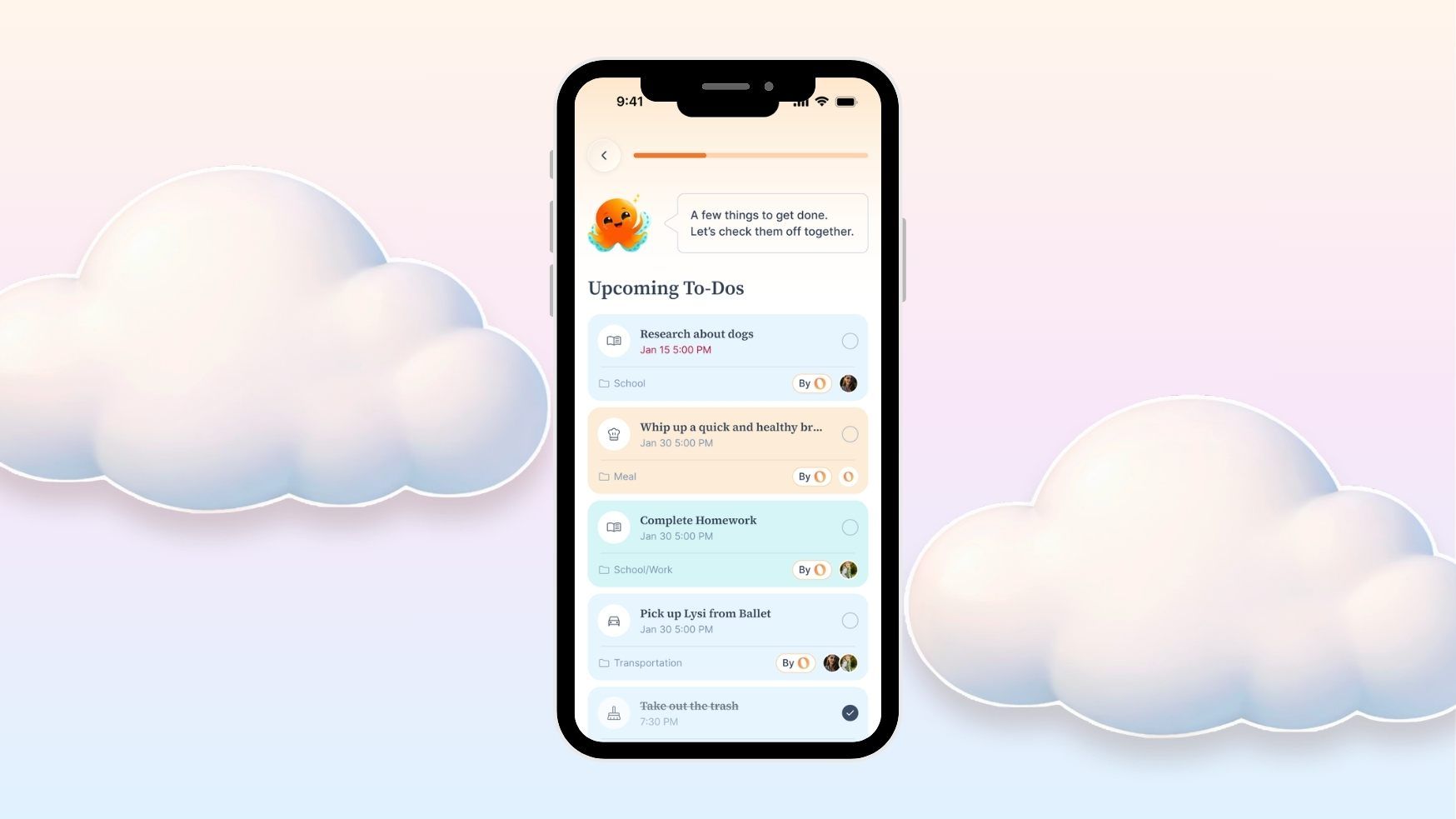
The quick version
To-Dos in Ohai is one place for your whole household:
- See everything active, overdue, and done in one view
- Switch to Member View to see what each person is on the hook for
- Add to-dos from mobile, desktop, or by texting O
- Brain dump by voice when you're on the go
- Group related to-dos in folders
- Filter to focus on what matters right now
- See your day at a glance in your Daily Dump
- Hand tasks off to O entirely when they don't need a human
If you're already on Ohai, To-Dos is live in your app right now. If you're not yet, you can try it below.
And if you try it and something feels off, tell us. A lot of what's in here came directly from users asking for it, and that's how it's going to keep getting better.
The Ohai team