AI Email Management
Simplify Life’s Clutter with AI-Powered Email Management. Your AI Assistant for Scanning, Summarizing, and Acting on What Matters.

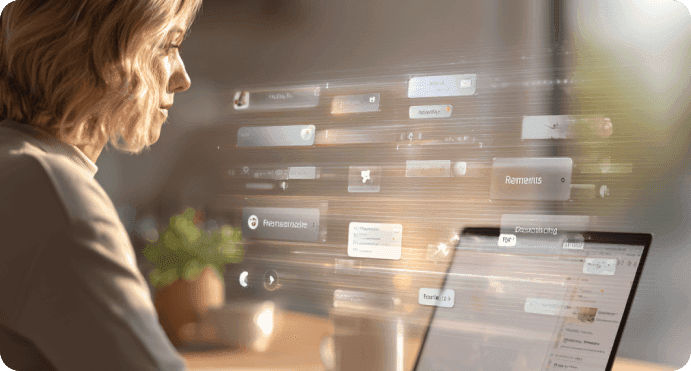
Recommended by Thousands of Users










How Ohai.ai Helps You Stay Organized, No Matter the Format
Ohai.ai works across every format, email, paper, screenshots, and notes, to ensure nothing slips through the cracks. From summarizing long messages to extracting deadlines, it’s your one inbox for real life, not just email.

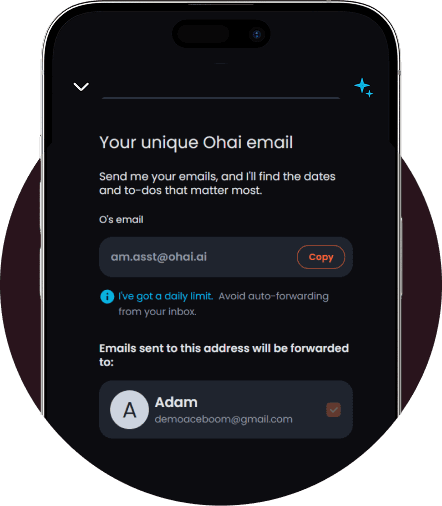
Capture Important Info Automatically
Stop juggling inboxes and endless forwards. Your unique Ohai email keeps everything organized from the start. Claim it once in Settings, and any message sent there, school updates, club notices, flight confirmations, is scanned instantly for key dates, deadlines, and actions.
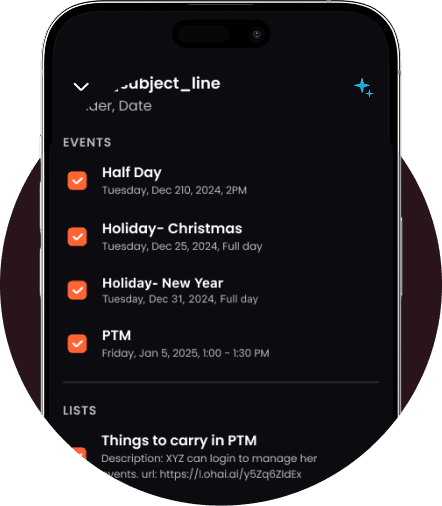
Turn Inbox Chaos Into Organized Action
No more digging through threads or missing important details. Share your Ohai email with schools, memberships, or travel sites, and O will automatically extract what matters, then add it to your calendar, create reminders, or share updates with your Circle.
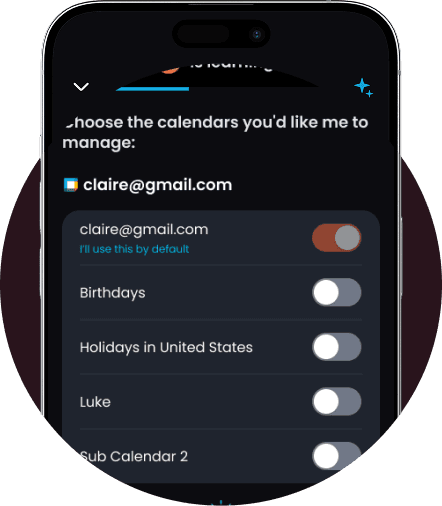
Stay Informed Without Losing Control
Worried about visibility? Every message scanned by Ohai is also forwarded to your regular inbox. You’ll always see the original email, with O handling the organization in the background, no missed messages, no surprises.
Keep Everyone Instantly Synced
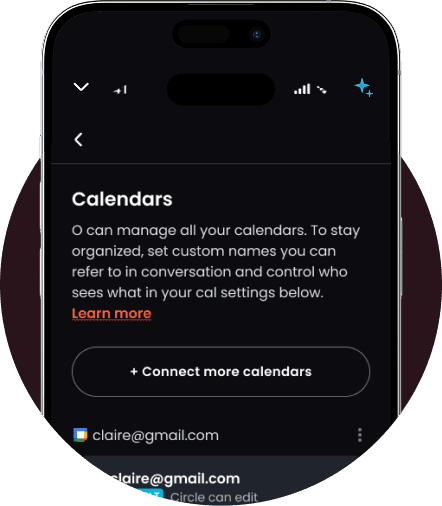
Your Circle can use the same Ohai email too. When your partner books a flight or your child’s coach emails the new schedule, O automatically updates your shared household calendar. You get real-time alerts for anything urgent, from flight changes to concert ticket drops.
Why Your Unique Ohai Email Matters
Important updates don’t just come from one place, they’re scattered across school portals, newsletters, memberships, and booking sites. Your unique Ohai email brings them all together automatically. Every message sent there is scanned, organized, and shared with the right people, so your family or team stays on top of what’s next without forwarding, copying, or digging through threads.
How It Works
Ohai.ai combines AI automation and smart collaboration tools to handle your tasks from start to finish. Connect calendars, share lists, and let the AI coordinate updates automatically across everyone involved.
What Families Are Saying
From school updates to billing reminders, Ohai.ai helps families stay on top of their inboxes with AI-powered email management. Users say it cuts through the clutter, surfaces what matters most, and turns emails into simple, actionable next steps, saving time and reducing stress every day.


I can forward emails and documents which are summarized with choices to create events, set reminders and forward to my other contacts. Huge time saver for me.
Mongkebiz, App Reviewer
The feature that allows you to send a picture or email of complicated schedules to Ohai and quickly organizes those schedules onto your calendar is a legitimate game changer.
KateFar16, App Reviewer
Parent of 2
As an ADHD mom of three, using Ohai for the last year has allowed my brain to breathe. I can set all my reminders for myself and my family members. I can send Ohai event details to add to my calendar, whether they're texts, images, or PDF school calendars.
ruship11, App Reviewer
Turn Paper Chaos into Digital Calm
From emails to post-its, Ohai.ai keeps life’s clutter under control. With AI-powered summarization, instant action suggestions, and seamless syncing across calendars and to-dos, you’ll stay one step ahead, no matter where your information comes from.
Frequently Asked Questions About
AI Email Management
What is AI email management?
AI email management uses artificial intelligence to automatically summarize, organize, and act on information from your inbox. With Ohai.ai, you can forward emails, upload screenshots, or scan paper notices, then let the AI extract what’s important and help you take action.
Can Ohai.ai organize my inbox?
Ohai.ai doesn’t replace your email app, but it helps you manage the flood of information inside it. Forward messages to Ohai.ai, and it will summarize key details, detect dates or deadlines, and create tasks or reminders instantly. Ohai never accesses your inbox directly, it only scans what you or others send to your unique Ohai email address, keeping your privacy fully in your control.
Does Ohai.ai support Gmail, Outlook, and Apple Mail?
Yes. You can forward messages from any provider. Ohai.ai extracts the relevant data regardless of where the email came from and syncs with your connected calendars and task lists. Ohai never connects to or accesses your inbox directly, it only processes the emails you choose to send to your unique Ohai address.
Yes. Ohai.ai can process PDFs, images, and newsletters from forwarded emails. It identifies essential information, like event times, due dates, or RSVP details, and helps you schedule or set reminders automatically.
Can Ohai.ai handle paper or photo-based messages too?
Yes. Snap a picture of a flyer, invitation, or handwritten note, and Ohai.ai will scan and interpret it just like an email, then suggest follow-up actions.
How does Ohai.ai help with school or work emails?
Ohai.ai turns long or repetitive school or work messages into clear summaries. It pulls out what you need to remember, like meeting times, assignments, or form deadlines, and automatically adds them to your schedule. You can also share your unique Ohai email with schools, sports clubs, or organizations so O can scan these updates automatically, without ever accessing your inbox directly.
How do I get my unique Ohai email?
Premium users can claim their unique Ohai email in Settings → Your Unique Ohai Email. This custom address connects directly to your assistant so Ohai can scan and organize messages automatically.
What can I do with my unique Ohai email?
You can share it with schools, sports clubs, memberships, or services like airlines and booking sites. Any email sent to your Ohai address will be scanned instantly for key dates, deadlines, and updates, no need to forward manually.
Can others in my Circle use my Ohai email?
Yes. Circle members can send or share updates to the same Ohai email. This makes it easy for families or teams to stay synced when someone books a flight, registers for an event, or shares an important update.
Will I still see the original emails Ohai scans?
Always. Ohai automatically forwards a copy of every message it scans to your regular inbox so you maintain full visibility and control.
Can Ohai alert me about urgent updates or sales?
Yes. When you use your unique Ohai email with services like airlines, ticketing sites, or subscriptions, Ohai can send real-time alerts about flight changes, ticket drops, or time-sensitive updates, directly to you.
Ready to Simplify Email Organization?
Ohai.ai turns inbox chaos into clarity. Forward school updates, event invites, or important messages to O, and it helps you pull out key details, create reminders, and keep everything organized in one place. Try Ohai.ai today and experience how effortless email management can be.