AI School Calendar Integration
Stay Ahead of Every School Event with AI-Powered Calendar Syncing. Your AI Assistant for Effortless School Schedules, Reminders, and Family Coordination.

Recommended by Thousands of Users










How Ohai.ai Simplifies School Scheduling
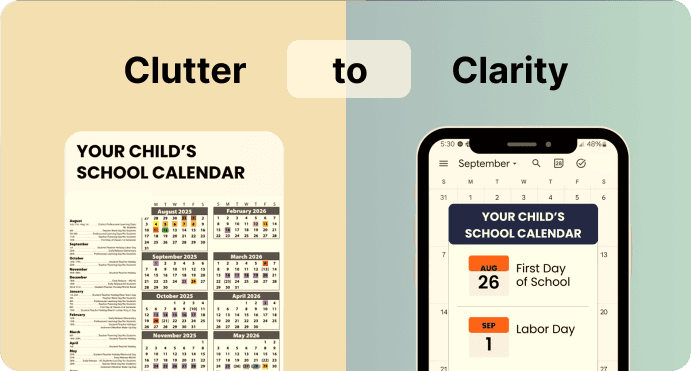
Ohai.ai connects with 60,000 school calendars, pulling every event, change, and update into your household calendar instantly. No more copy-pasting dates or hunting through newsletters, just one seamless, AI-managed schedule.

Automatic School Calendar Sync
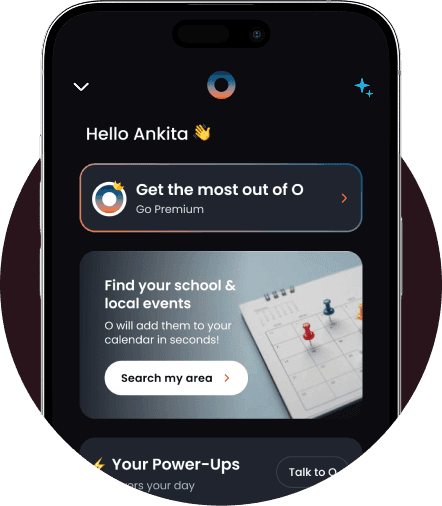
Connect your school or district calendar once, and Ohai.ai handles the rest. New events, closures, and schedule changes appear automatically in your family’s shared view, so everyone stays informed without the manual work.
Real-Time Updates for Every Change
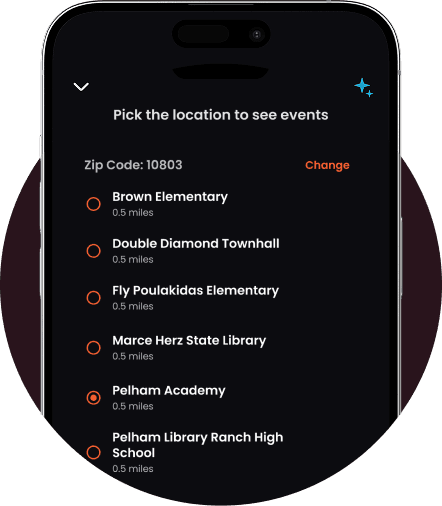
School schedules shift constantly. Ohai.ai connects directly to your district’s public school calendars, updating automatically when new events are added or dates change. Enter your ZIP code to find your school, select your district calendar, or upload a document or image if it’s not listed. Once connected, Ohai tracks updates in real time and keeps your family calendar synced, no manual work required.
Smart Reminders for Parents and Students
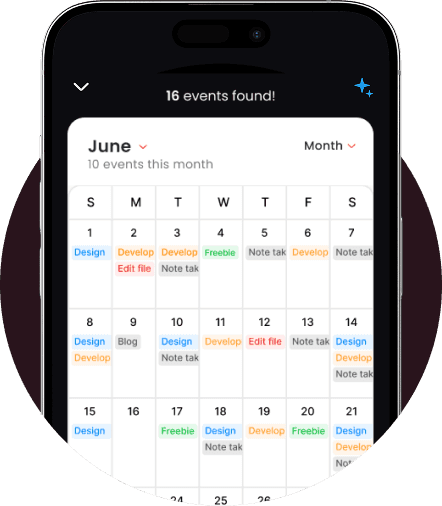
Ohai.ai turns school calendars into clear, actionable plans. After you connect your district, you can preview and select events, like picture days, parent-teacher conferences, or holidays, to add directly to your family calendar. Once added, O sets reminders so your household stays prepared and in sync.
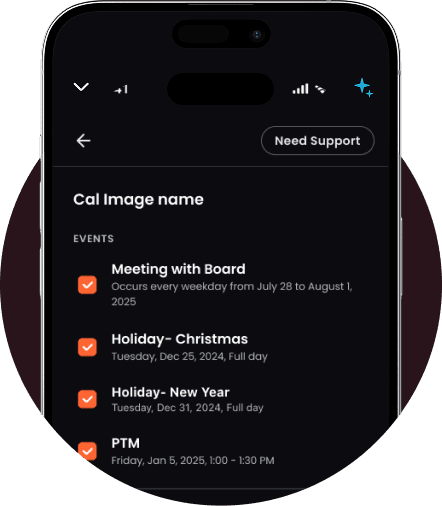
Add to Your Circle Calendar
Review and confirm which events, lists, and reminders you want to add to your shared Ohai Circle Calendar. Once completed, they’ll appear instantly for everyone in your Circle, keeping the whole household aligned without extra coordination.
Why AI School Calendar Syncing Matters
Managing school schedules manually is time-consuming and error-prone. Between multiple kids, different schools, and overlapping activities, things easily get missed. Ohai.ai keeps every parent informed, aligned, and ready, automatically.
How It Works
Ohai.ai connects directly to your district’s public school calendars, making school coordination hands-free.
What Families Are Saying
From working parents to busy households, Ohai.ai helps families manage their time more efficiently with AI-powered calendar management. Here’s how real users describe the difference it’s made in their daily routines.


The feature that allows you to send a picture or email of complicated schedules to Ohai and quickly organizes those schedules onto your calendar is a legitimate game changer. I never even miss a theme day at my kid’s school now, let alone something actually important.
KateFar16, App Reviewer
Ohai has made a real difference in how we manage our hectic family life, especially with both of us working and three young kids with packed schedules. The app’s text reminders are a lifesaver, they keep us on track for everything from school pickups to swim lessons and speech therapy.
Warvill, App Reviewer
I no longer have to fret about what’s for dinner or get surprised that the kids are out of school on a random Tuesday in February. I’ve never felt compelled to write a review but this app has really crushed the mental drain of having to remember and organize basic, daily tasks.
nikkidactyl, App Reviewer
Simplify School Coordination with AI Calendar Syncing
Ohai.ai keeps your family perfectly aligned with your school’s calendar. With automatic updates, smart reminders, and shared visibility, you’ll always know what’s coming next—without checking your inbox a hundred times.
Frequently Asked Questions About
AI School Calendar Integration
What is AI school calendar integration?
AI school calendar integration connects your school or district’s public calendar directly to your family’s shared Ohai Circle Calendar. Ohai.ai automatically syncs events, closures, and updates, so you never have to manually enter school dates again.
How do I connect my school calendar?
Simply enter your ZIP code to view schools and districts in your area, then select the correct one from the list on the Ohai.ai setup page. Once connected, your school’s events will appear automatically in your family calendar.
Can I choose which events are added?
Yes. Before syncing, you can review your school’s upcoming events and choose which ones to add, like parent-teacher conferences, sports games, or holidays. O then adds them to your calendar in bulk.
Does Ohai update my calendar automatically when events change?
Yes. When schools make edits or add new events, Ohai detects those updates and reflects them in your shared family calendar automatically. You’ll also receive alerts about new or changed events.
Can Ohai create reminders for school events?
Yes. O can set reminders and notifications for important events like picture day, early dismissals, or parent meetings, so you never miss a thing.
Can I connect multiple school calendars?
Yes. Families with children in different schools can link multiple calendars under one household. Ohai keeps all events organized in a single view for easy coordination.
Who can see the school calendar in my household?
Anyone in your Ohai Circle can access the shared school calendar. Parents, caretakers, and even grandparents can view and receive notifications so everyone stays informed.
Do Circle members need a Premium account to view the school calendar?
No. Basic Circle members can view and receive updates from the shared calendar. However, Premium members get full access to create, edit, and manage events alongside you.
How often is the school calendar updated?
Ohai checks for updates daily and automatically reflects new events, time changes, or cancellations as soon as they appear on your school’s public calendar.
Can I add school-related tasks or to-dos from calendar events?
Yes. You can ask O to create tasks or reminders directly from any event, for example, “O, remind me to sign the field trip form on Thursday.”
Is my data secure when syncing school calendars?
Yes. Ohai.ai only accesses publicly available school calendar data and does not store personal information from the school system. Your connected data remains private within your household account.
What if I can’t find my school calendar?
If your school doesn’t appear after entering your ZIP code, you can contact Ohai support to request it be added. New districts are updated regularly.
How do I get started?
Visit the Ohai.ai setup page, enter your ZIP code, select your school or district, choose which events to include, and confirm. Ohai will sync your school calendar instantly, keeping your family aligned all year long.
Ready to Stay Ahead of Every School Event?
Ohai.ai keeps your family perfectly synced with your school’s calendar. From early dismissals and field trips to holidays and PTA meetings, O adds events, sets reminders, and keeps every Circle member up to date. Try Ohai.ai today and make school coordination simple.